Where Do BIM Models Go After Handover?
Chang
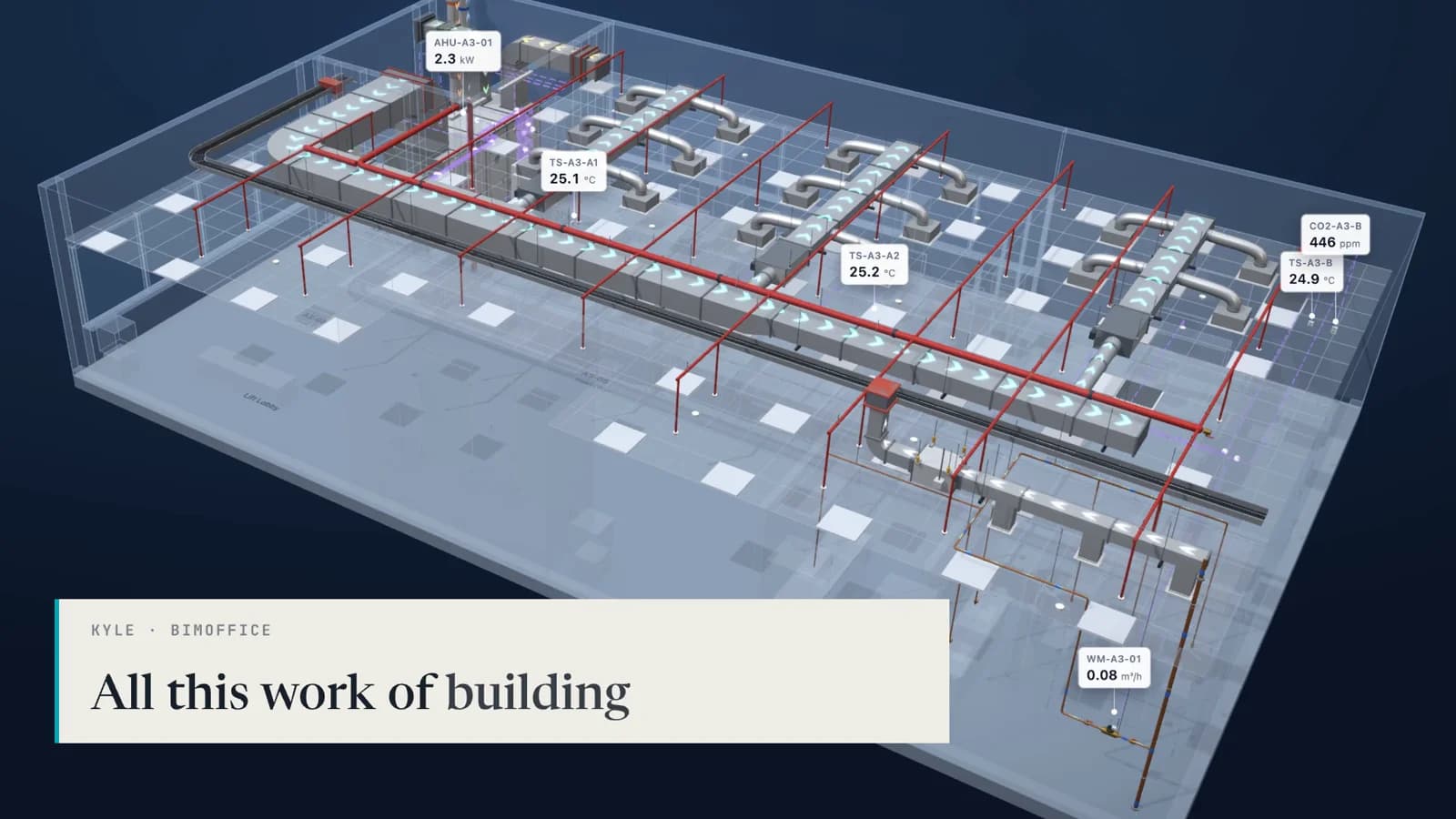
A building project in Malaysia can spend years on its BIM model. Every chiller, air handling unit, distribution board and sensor is modelled with its make, its location and the services it connects to. The model is coordinated, clash-checked and updated to as-built. Then the building is handed over, and in most projects the model stops being used.
That gap is the subject of the first episode of the Cerev Integration Series. In each episode we take one partner's solution or one technology, connect it to Cerev CMMS, and film it working. For Episode 1 we visited BIMoffice Group Berhad, a BIM consultancy in Malaysia, and asked what happens to a model after handover.
BIM Is Meant to Cover the Whole Life Cycle
Kyle is the Executive Director of BIMoffice. His team delivers BIM services for construction clients, including work on the Johor Bahru–Singapore RTS Link. He started by describing what BIM is supposed to be.
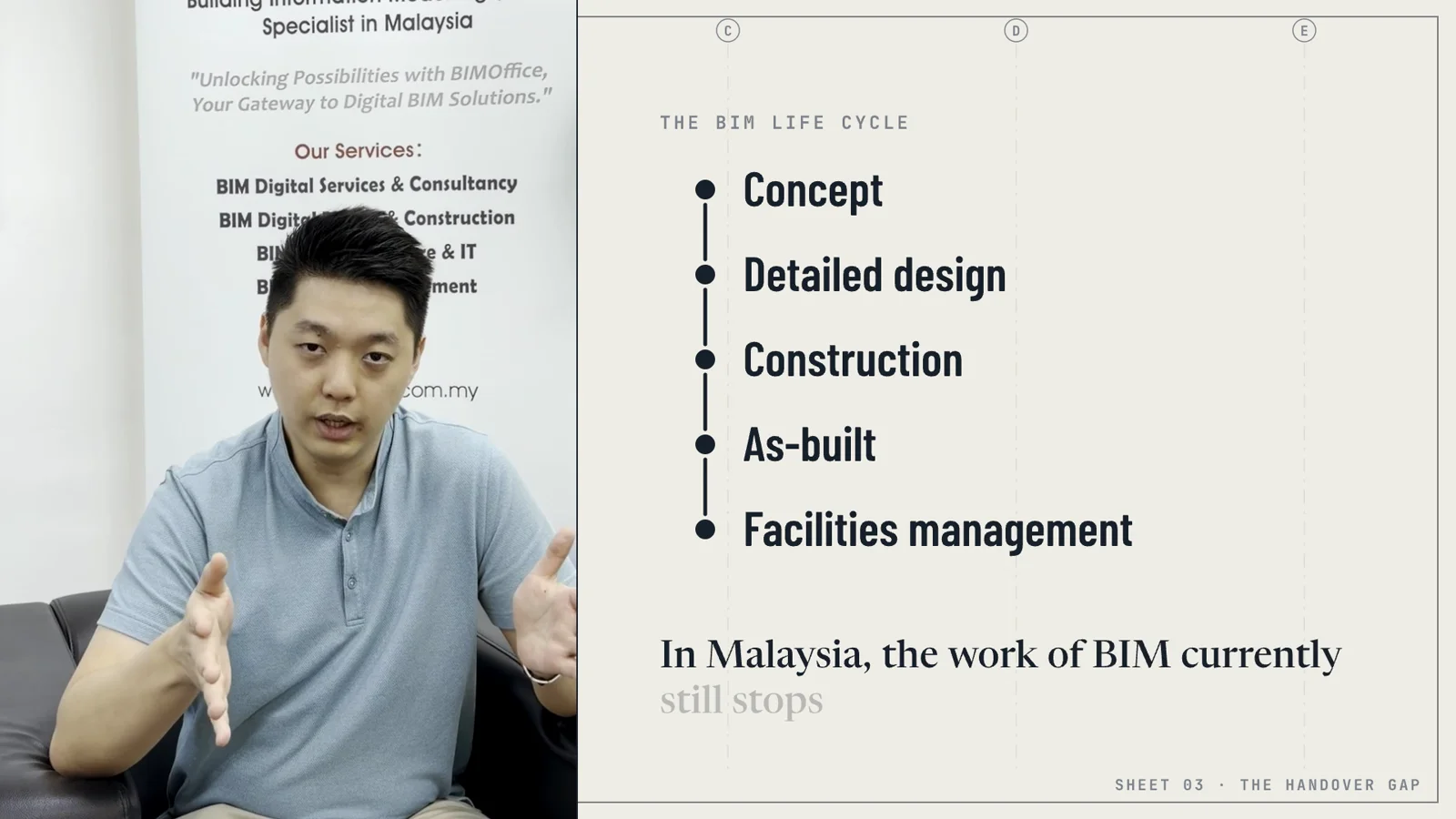
BIM is meant to cover a building from concept through detailed design, construction and as-built, and then into facilities management. The last stage is the longest one. A building is designed and built over a few years, and then it is operated and maintained for decades.
In Malaysia, Kyle said, the work of BIM still stops before that last stage. The bridge from the as-built model to facilities management is still very basic.
What Happens to the Model After Handover
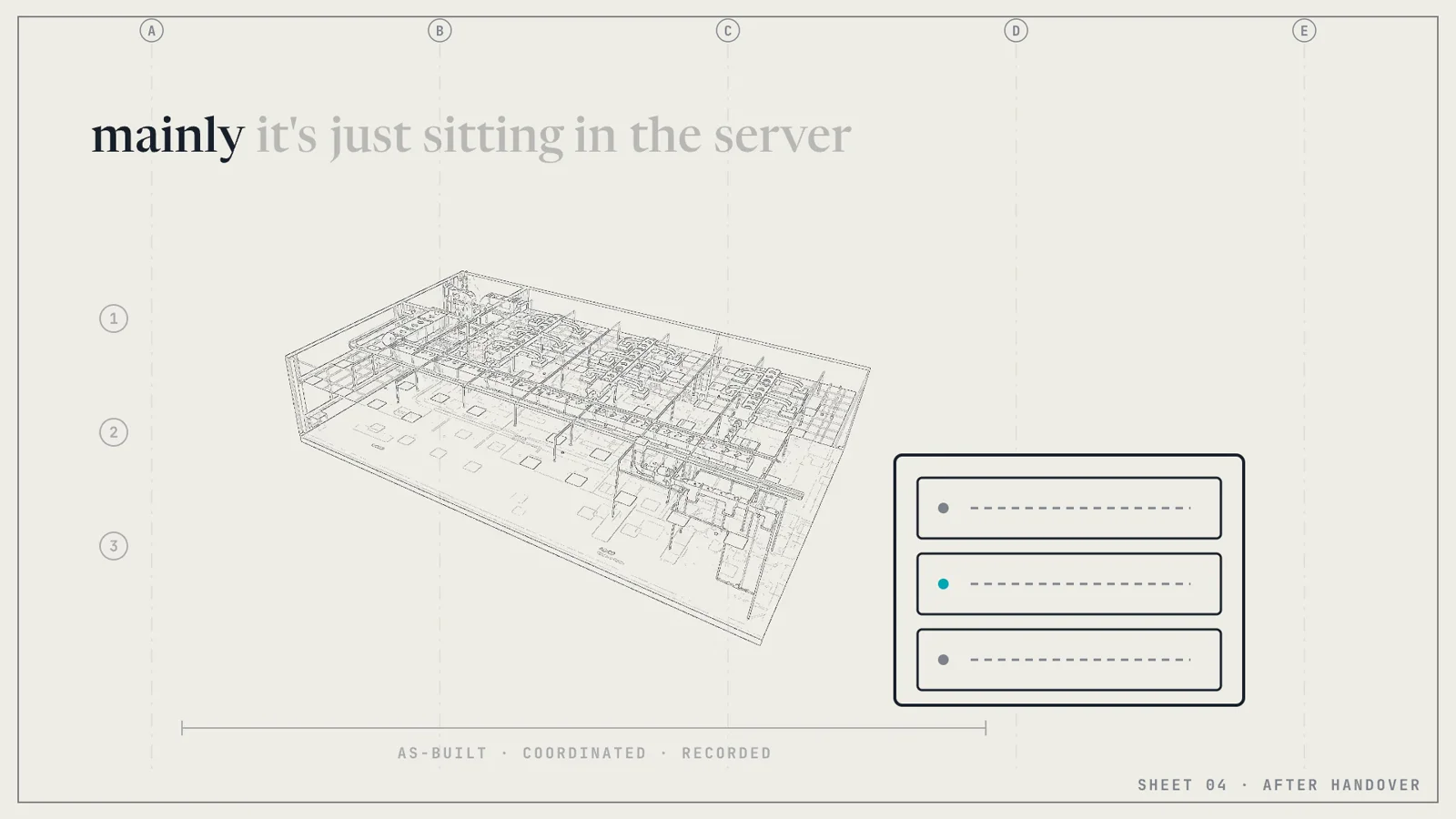
After handover, the model usually goes into storage. The facility management team starts work with a set of drawings, an equipment schedule and a spreadsheet, and the model sits on a server that nobody on site opens.
“The model will fall into just the server storage, and the facility management team actually comes in to rebuild the entire asset registration again from scratch.”
Kyle, Executive Director, BIMoffice Group Berhad
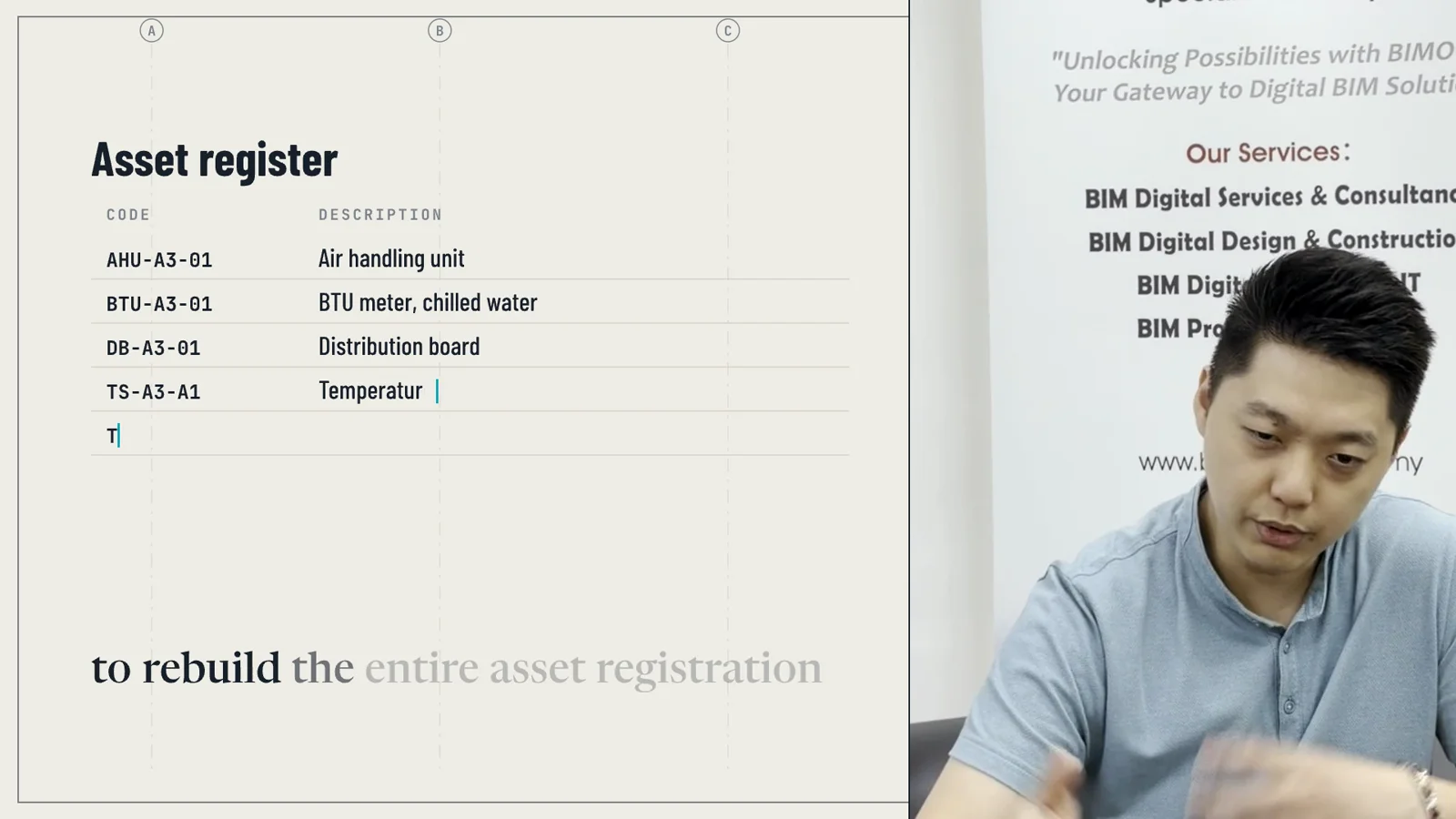
Rebuilding the asset register means the facility team types in again what the model already holds. They create the asset codes, the descriptions, the locations and the parent and child relationships one row at a time. That work takes weeks on a large building, and every mistake in it shows up later as a work order raised against the wrong asset.
Kyle summed up what that does to the effort that went into the model: “All this work of building a rich information model then goes in vain.”
What If the Model Kept Working After Handover?

The model already knows what every asset is and where it sits. A CMMS already knows what has been done to each asset and what is due next. The integration in this episode joins the two, so the model becomes the way a facility team finds and works on its equipment.
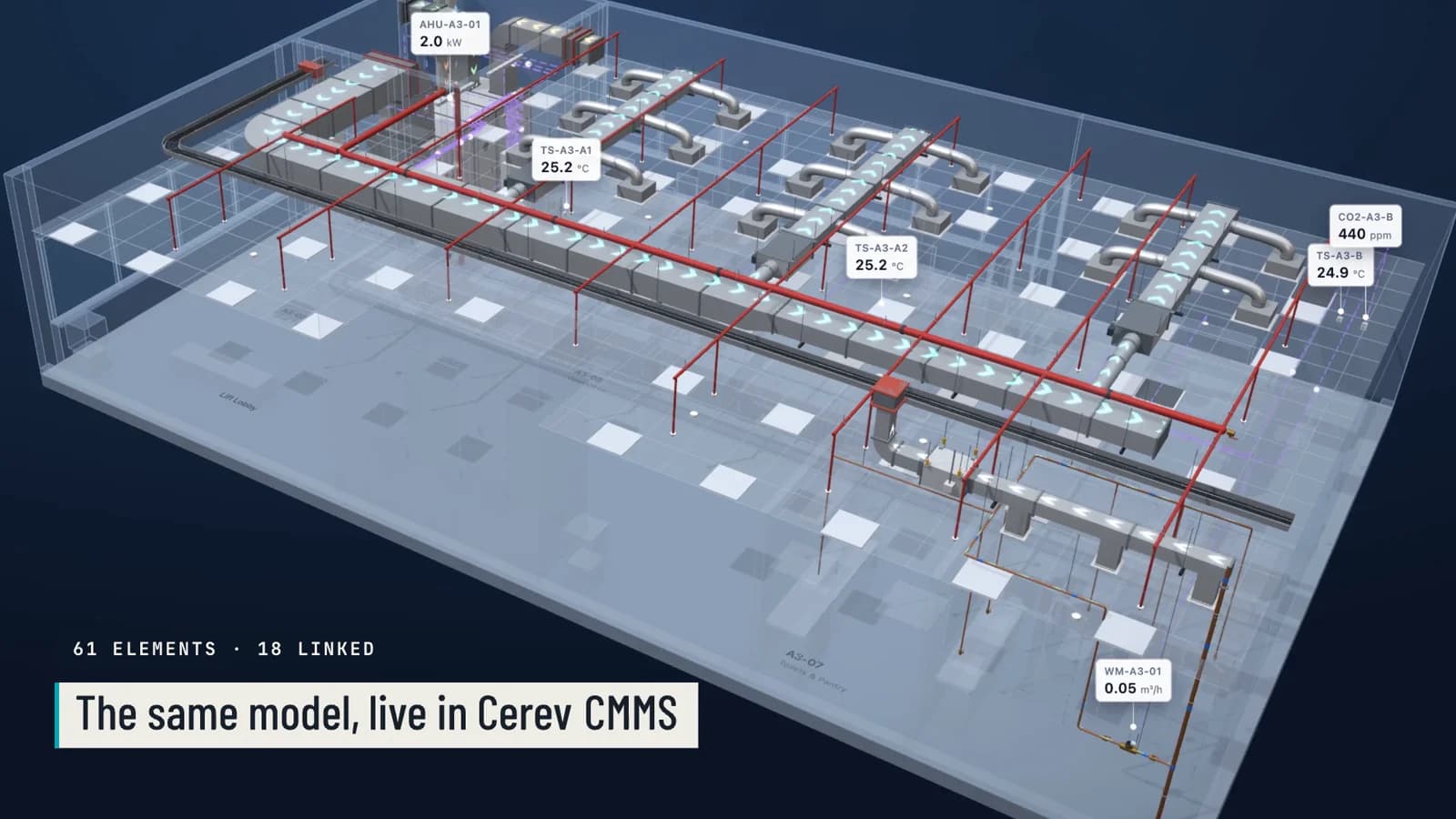
In the episode, the model of an office floor's M&E services opens inside Cerev CMMS. Each model element is linked to its equipment record in Cerev, and the sensors on the floor show their live readings on the model.
When you click an element, its equipment record opens beside the model. It shows the live meter readings, the open work orders and the full PM history.
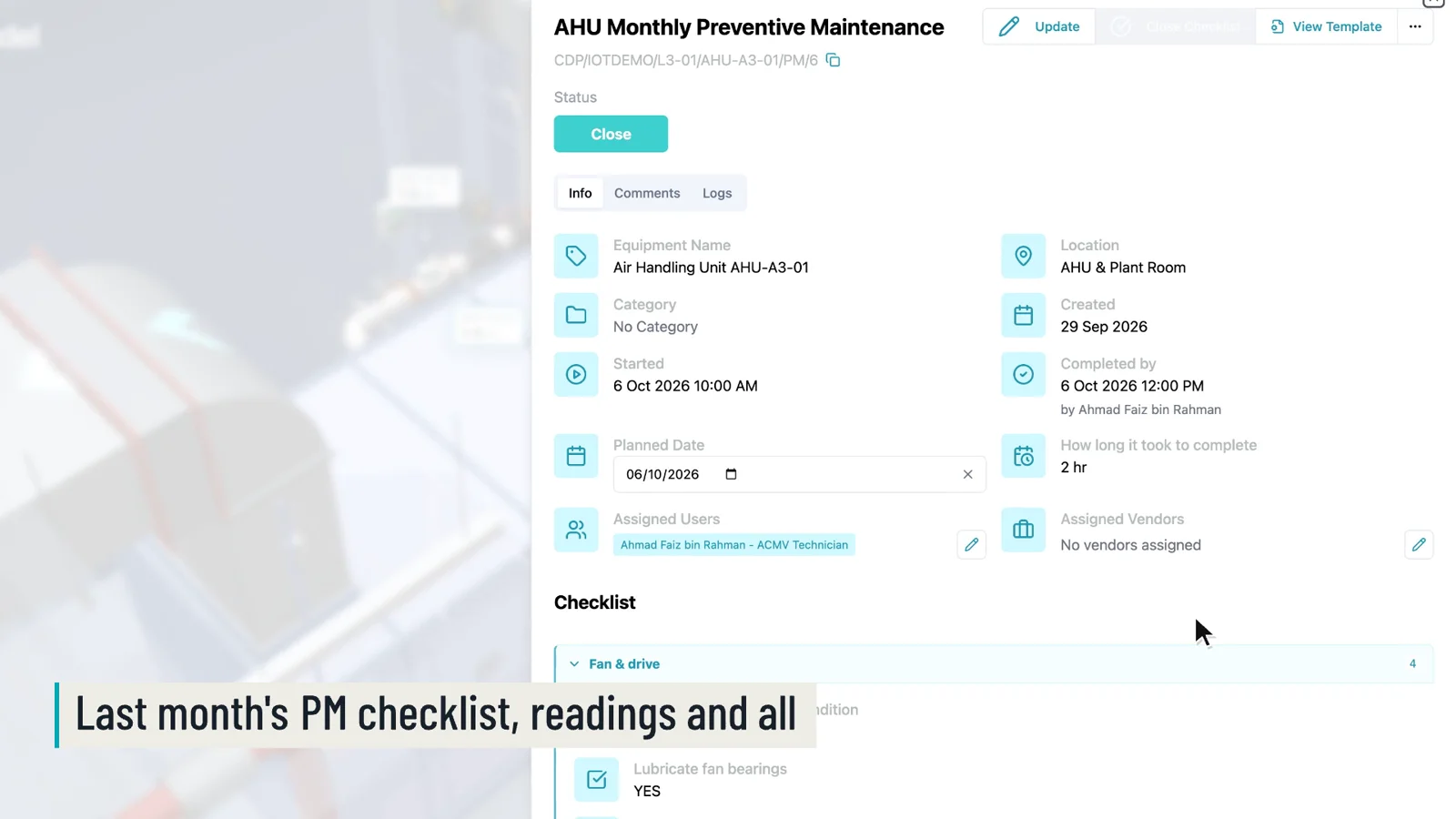
From there you can open last month's preventive maintenance for the air handling unit and see the checklist the technician filled in, with the readings they took. Nobody has to search a shared drive or ask who did the job.
A Sensor Raises the Work Order by Itself
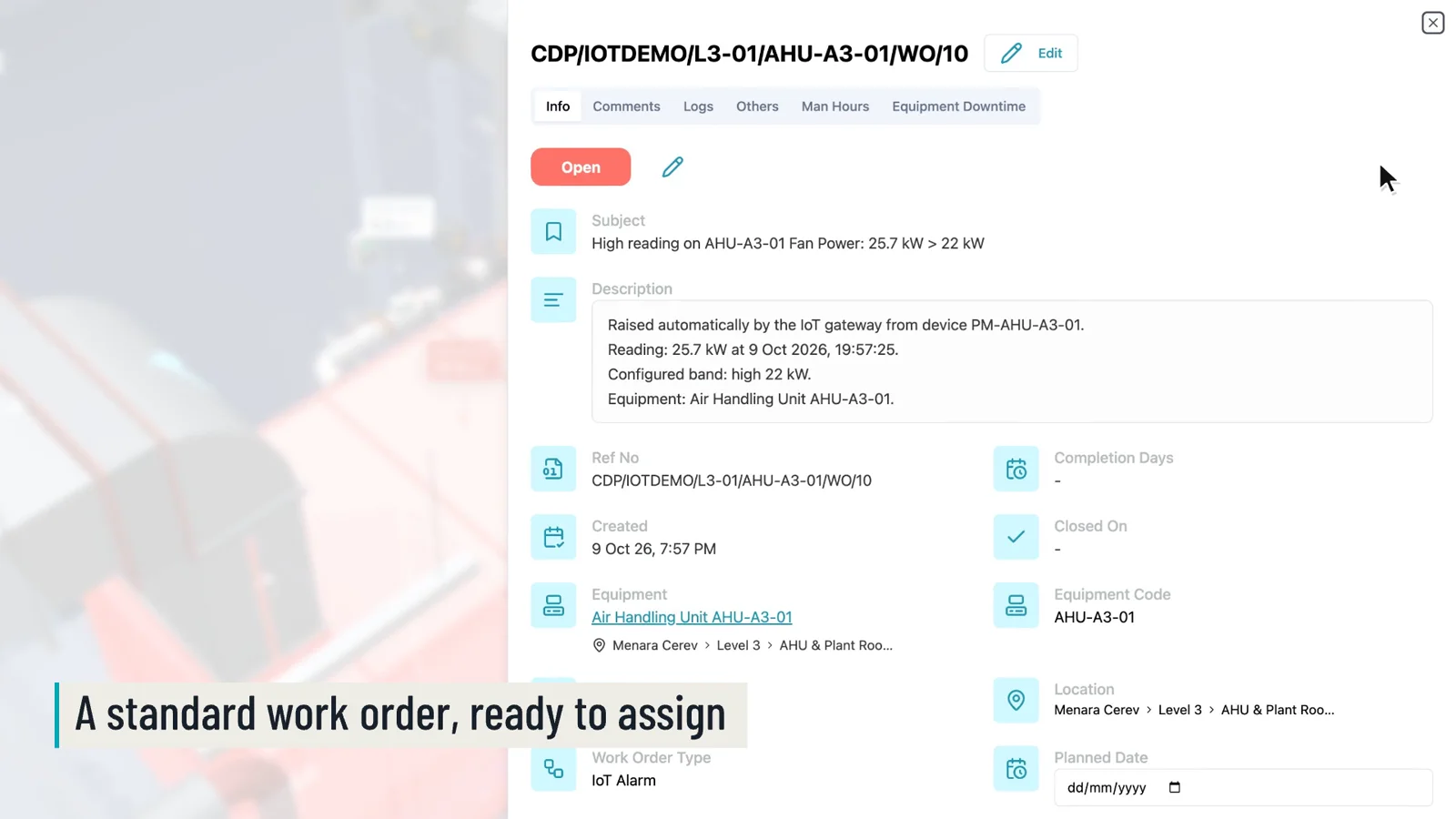
The last part of the demo shows what happens when a reading goes out of range. The air handling unit's fan power rises above its 22 kW limit, and Cerev raises a work order for that unit by itself. The work order records the reading, the time and the limit that was crossed. It is a standard work order, so the team assigns it, follows it up and closes it the same way as any other job.
This is the point of keeping the model alive. The model answers where the asset is and what it is. The CMMS answers what has been done to it and what needs doing now. When the two are joined, the facility team doesn't have to rebuild the asset register, and the information from design and construction keeps being used.
What a Facility Team Needs to Bring Over
You don't need a perfect model to start. You need three things from the handover package.
- An as-built model with asset identifiers. Each maintainable element needs a code that matches the asset register, such as AHU-A3-01.
- An equipment list that uses the same codes. This is the asset register Cerev imports. If you are building one now, our guide to preparing an equipment list with hierarchical data covers how to structure it.
- The sensors you want to watch, with their limits. Start with the few readings that tell you a unit is in trouble, such as fan power, supply temperature or vibration. Our post on CMMS and IoT integration explains how readings become work orders.
The episode uses a Cerev demonstration model of an office floor. The recordings of Cerev are real screen captures, sped up.
Watch the Series
Thank you to Kyle and the BIMoffice team for having us. You can watch every episode of the Cerev Integration Series on our Integration Series page. If you build something facility teams use and want to see it connected to Cerev CMMS, we would like to hear from you.
Ready to optimize your maintenance operations?
Get in touch with our team to discuss how Cerev CMMS can help streamline your maintenance workflow and reduce costs.