Digitalising Maintenance Verification and Approval Without Redundant Sign-Offs
Chang
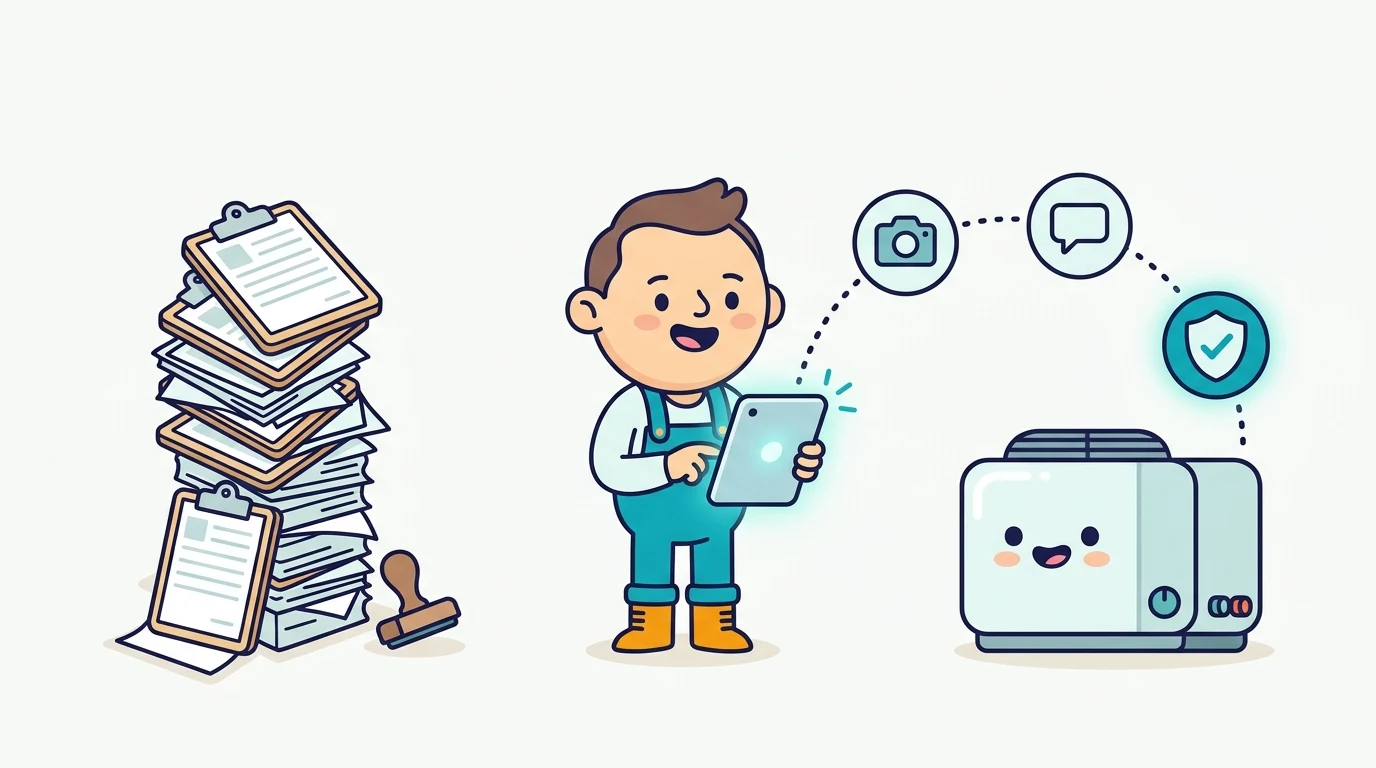
When maintenance teams move from paper forms to a CMMS, one question almost always stalls the rollout: how do we digitalise our verification and approval process?
On paper, approval looks simple. There is a row of boxes at the bottom of every form: Prepared By, Checked By, Verified By, Approved By. So when a team goes digital, the natural instinct is to recreate every single one of those signature boxes inside the software.
That usually creates more friction than control. In practice, digitalising verification works far better when you do two things in order: first, cut out the sign-offs that do not protect anything; second, build the verification steps that remain directly into your statuses and role access.
First, Ask Whether Every Sign-Off Actually Earns Its Keep
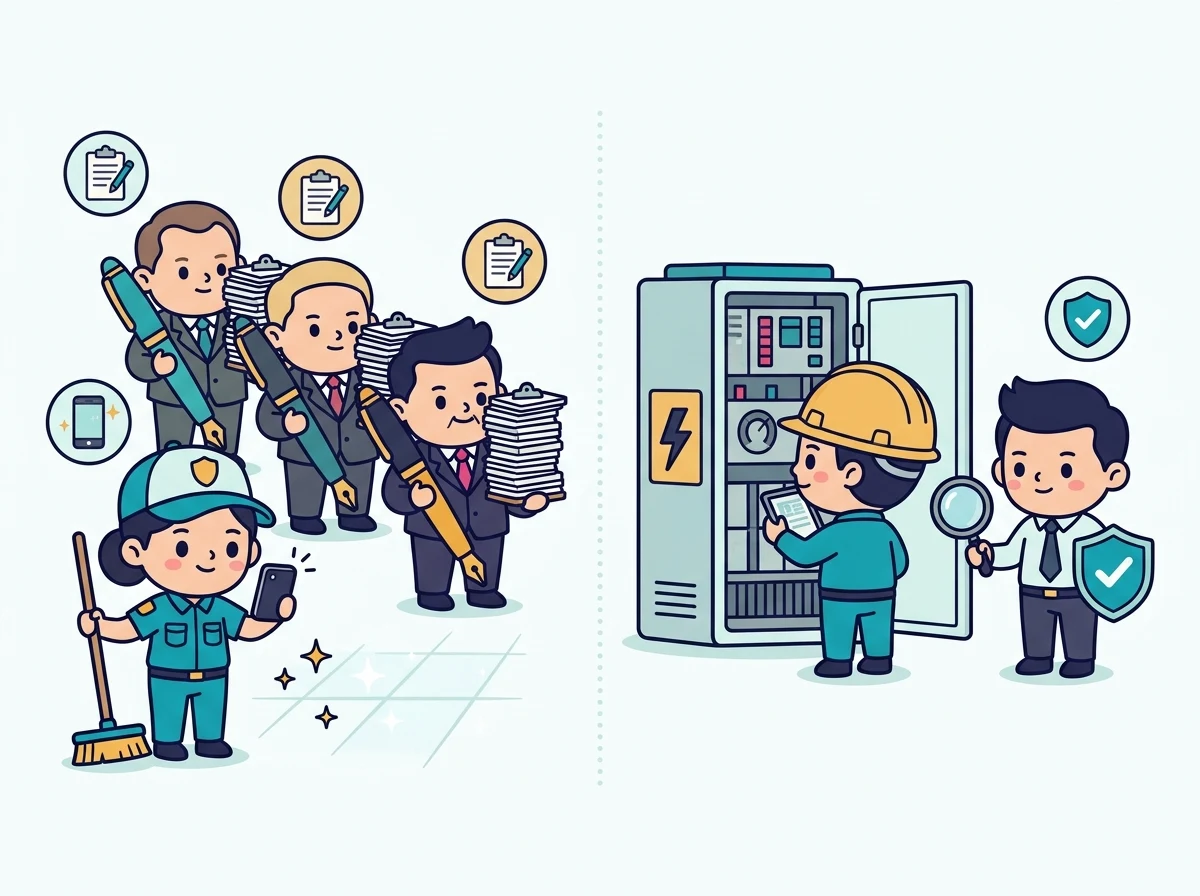
Before configuring a single workflow rule, pull a stack of your completed paper records from the past month and look at the signature lines. You will often notice something uncomfortable. Forms for low-risk, routine work such as daily cleaning checklists or daily patrolling rounds have two or three signatory boxes printed at the bottom, yet half of those boxes are blank, or all thirty days were signed in one sitting on Friday afternoon.
Think about what a routine patrol actually needs. If a technician walks the plant room, checks the gauges, and submits a timestamped photo from their phone, the system already records who performed the job, when it happened, and what the equipment looked like at that moment. Forcing a supervisor to open and sign fifty routine checklists a week does not make the patrol more reliable. It just turns into signing for the sake of signing.
A useful exercise is to put a price tag on every verification step. Every sign-off consumes supervisor attention, delays job closure, and trains technicians to wait for approval instead of moving on to the next task. Keep third-party verification for jobs with real accountability and real consequence: safety-critical repairs, statutory and compliance inspections, high-cost vendor work, or handover on critical plant assets. Let low-risk daily tasks rely on digital timestamps, user logs, and photo evidence instead.
The Rubber-Stamp Trap: Why 99% Approval Destroys Verification

Verification is genuinely vital. Some jobs need a third eye to confirm that a lock-out was cleared safely, a repair actually solved the fault, or a contractor delivered what was quoted.
The danger of putting verification on everything is that redundant checks actively undermine the checks that matter. When a supervisor is asked to verify high-volume, low-risk tasks and clicks “yes” 99% of the time, verification stops being an inspection and becomes muscle memory. The reviewer skims the queue, signs everything in bulk, and moves on.
When that happens, the one high-risk job that genuinely needed a second look gets buried inside ninety-nine routine tickets and rubber-stamped along with the rest. Saving verification for operations that truly matter keeps the approval queue small enough that every sign-off means someone actually looked.
Building Verification Into Custom Work Order Statuses and Role Access
Once you have trimmed your verification steps down to the ones worth keeping, the next question is how to run them cleanly inside your CMMS. In Cerev CMMS, you do not need a separate stack of paper-style approval forms bolted onto your work orders. Verification and approval become a natural part of Custom Work Order Statuses and role-based access.
The company, building, and work orders in the screenshots below are Cerev demonstration data for a hospital facility team.
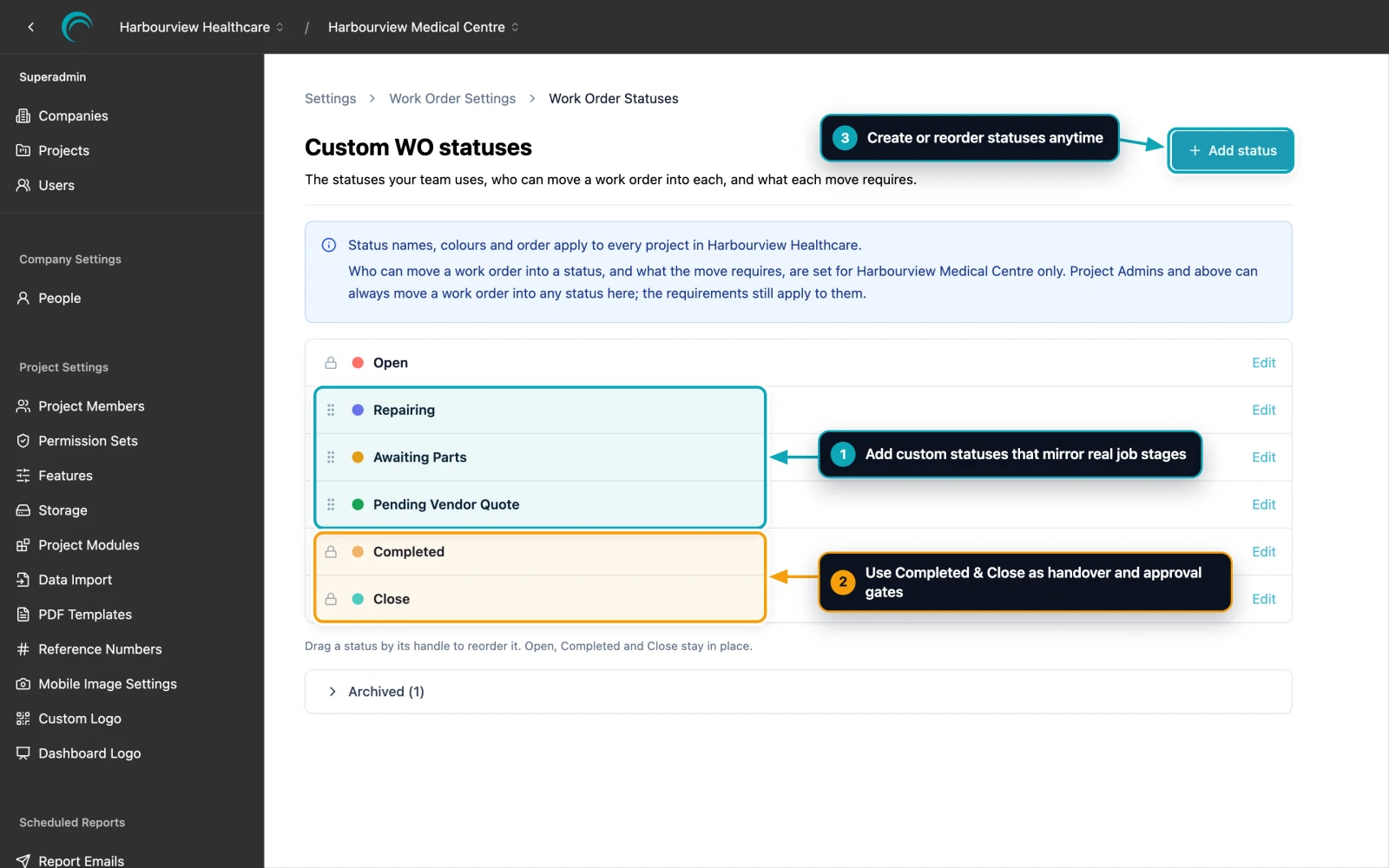
Start by laying out statuses that match how maintenance actually progresses on site. Take a broken AHU or chiller as an example:
- The fault is logged in Open.
- If replacement filters or spares need to be ordered, the technician moves the job to Awaiting Parts so everyone can see why it is paused.
- Once parts arrive and repair work starts, it moves into Repairing.
- When the technician finishes the repair, they move the work order to Completed, handing it over for verification.
- Finally, after reviewing the evidence, the supervisor moves the work order to Close.
What turns this status flow into a real approval process are two controls on each status: who is allowed to move a work order into that status, and what evidence must be provided before the move saves.
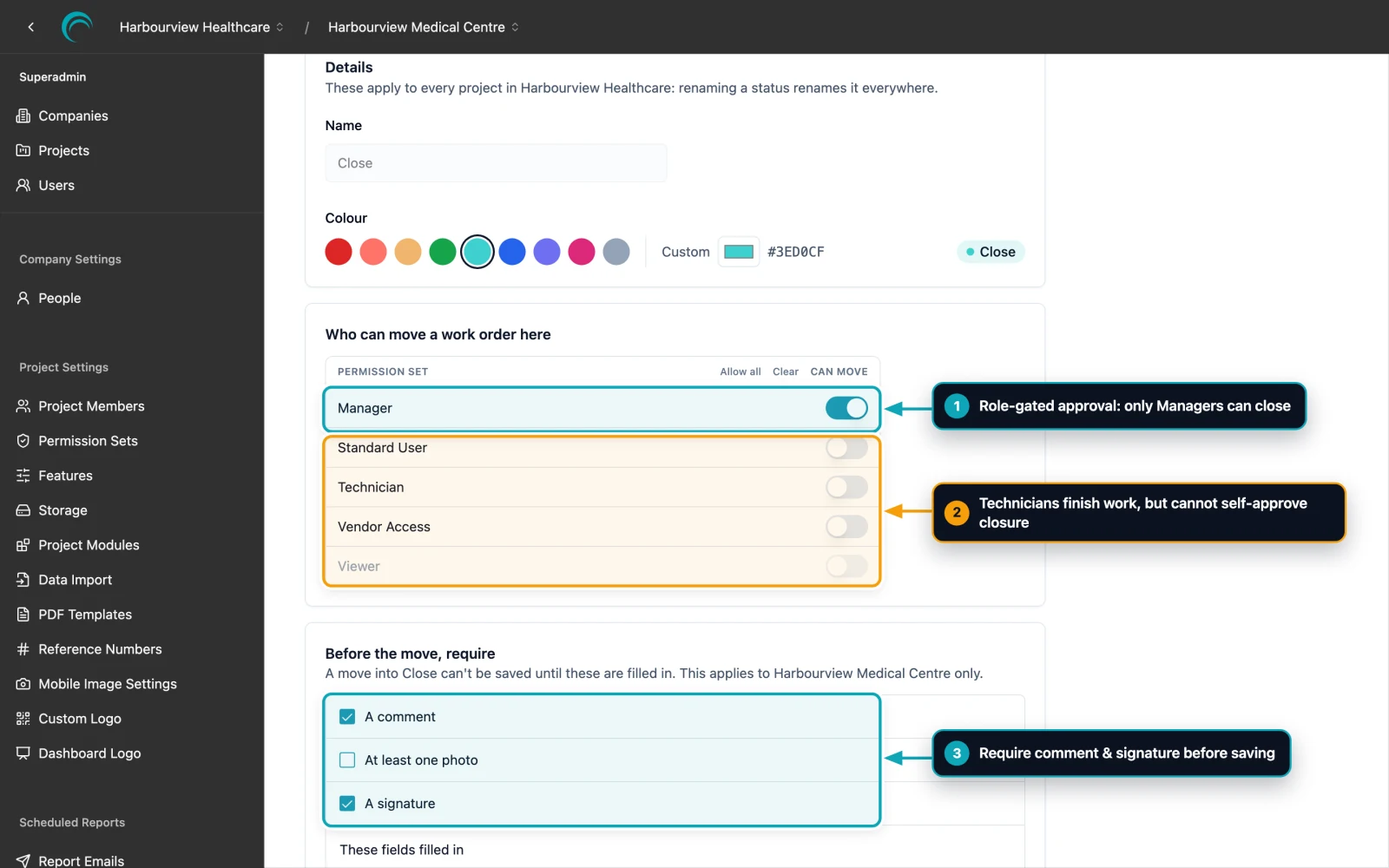
In the example above, Technicians can move a work order through Awaiting Parts, Repairing, and Completed, but only a Manager can move it into Close. Technicians can finish their work without friction, yet nobody can self-approve final closure. And because transition rules are configured per status and per project, you can change them anytime as your operational requirements evolve.
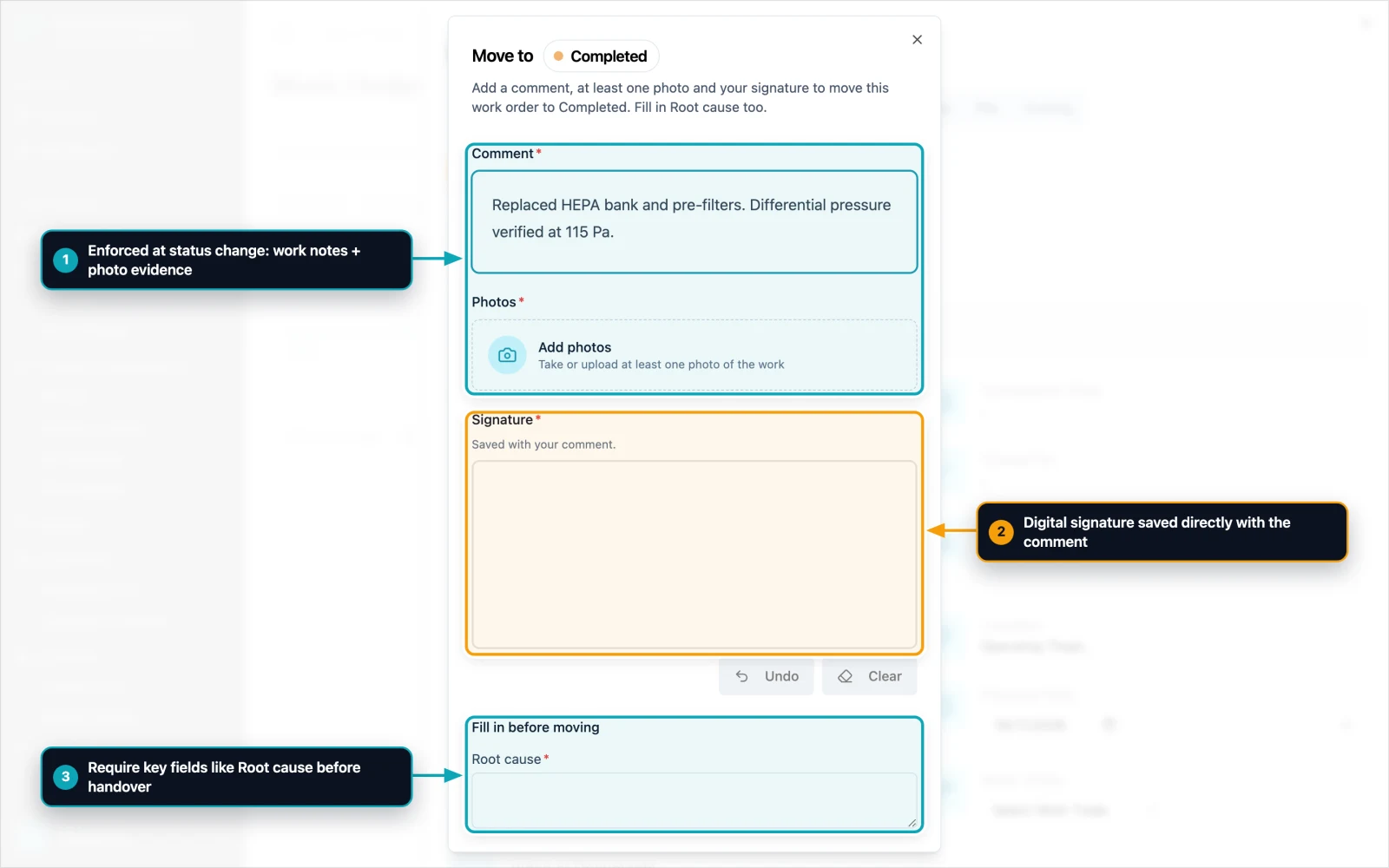
Notice what happens at the moment of handover. When the technician changes the status to Completed, Cerev CMMS prompts for the exact requirements you set: a work comment, at least one photo, a digital signature, and key fields such as Root cause. The job cannot enter the verification queue half-documented, so the supervisor receives everything they need to review in one place.
Extending the Same Discipline to Custom PM Checklist Statuses
Preventive maintenance benefits from the same selective approach. Not every PM checklist needs a multi-stage approval chain. A daily visual inspection can move straight from Open to In Progress to Close once the technician submits their checklist readings and photos.
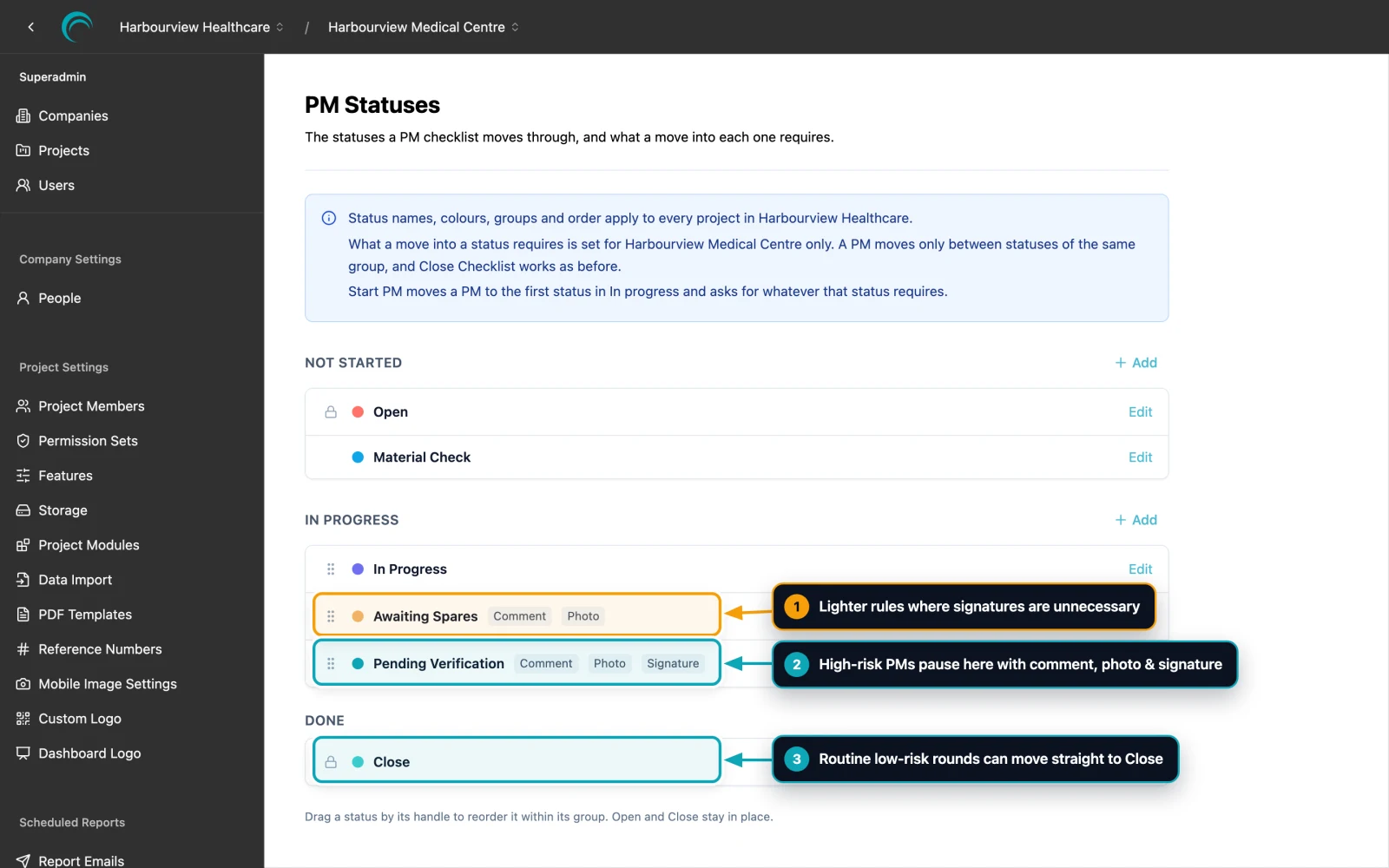
For higher-risk preventive maintenance, such as a monthly generator load test or an operating theatre AHU service, Custom PM Statuses let you insert a dedicated Pending Verification stage inside the In Progress group. You decide exactly what moving into each status requires:
- Awaiting Spares can require just a Comment and a Photo, skipping the signature so technicians can flag a missing part in seconds.
- Pending Verification can require a Comment, Photo, and Signature so critical PM work pauses with full handover evidence before a supervisor closes the checklist.
- Routine low-risk PM rounds do not need to stop at Pending Verification at all and can move straight through to Close.
When Something Looks Off: Move Back and Keep Evidence in One Thread
Real maintenance rarely moves in a neat straight line. A supervisor reviewing a Completed work order might spot a pressure reading that still looks high, notice an unclear photo, or want a technician to double-check a condenser coil before signing off.
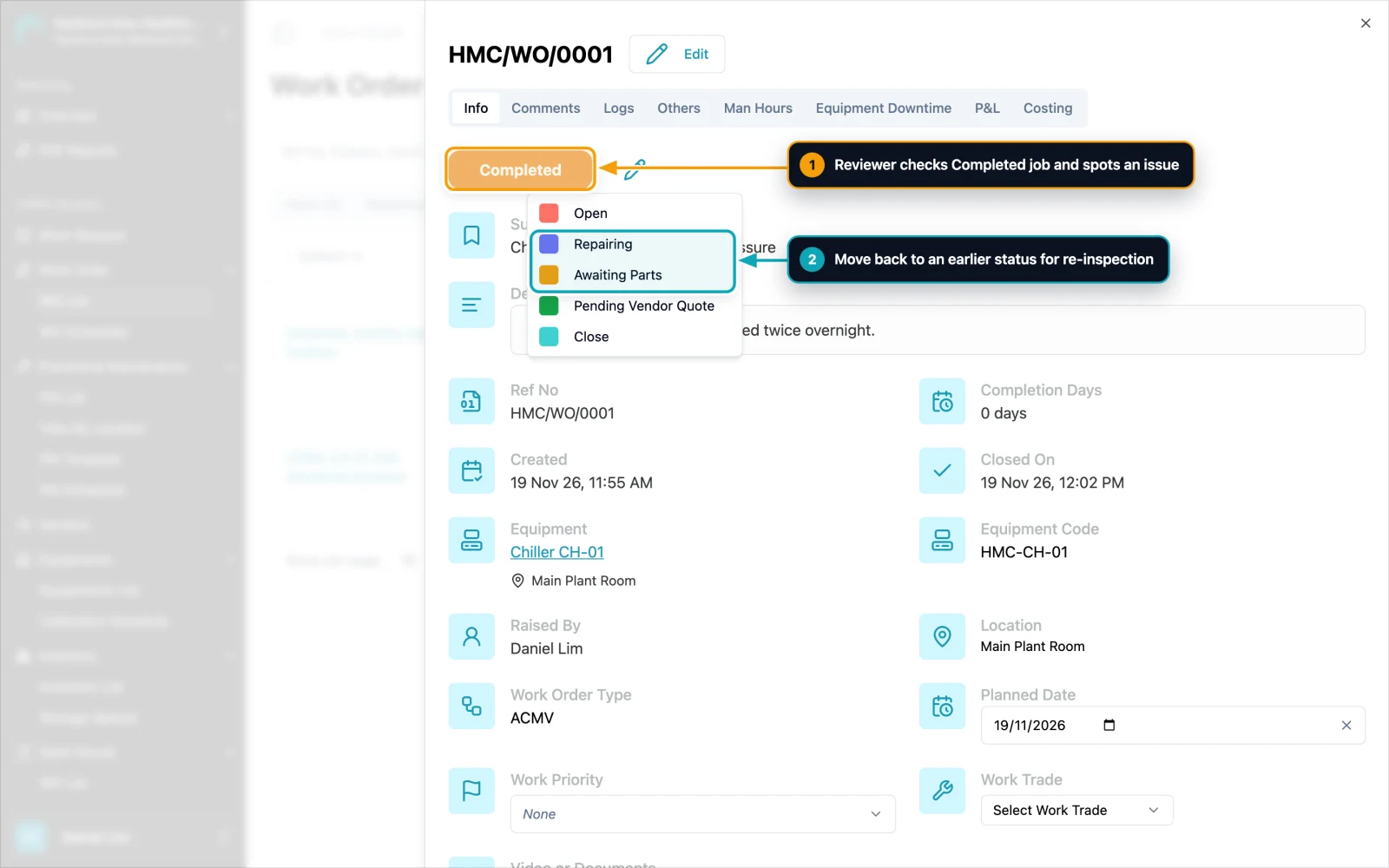
Because statuses in Cerev CMMS are not a rigid one-way conveyor belt, a reviewer can move a work order back to an earlier status at any time for re-inspection or clarification. There is no need to void a paper form, open a duplicate ticket, or chase updates in a separate chat group.
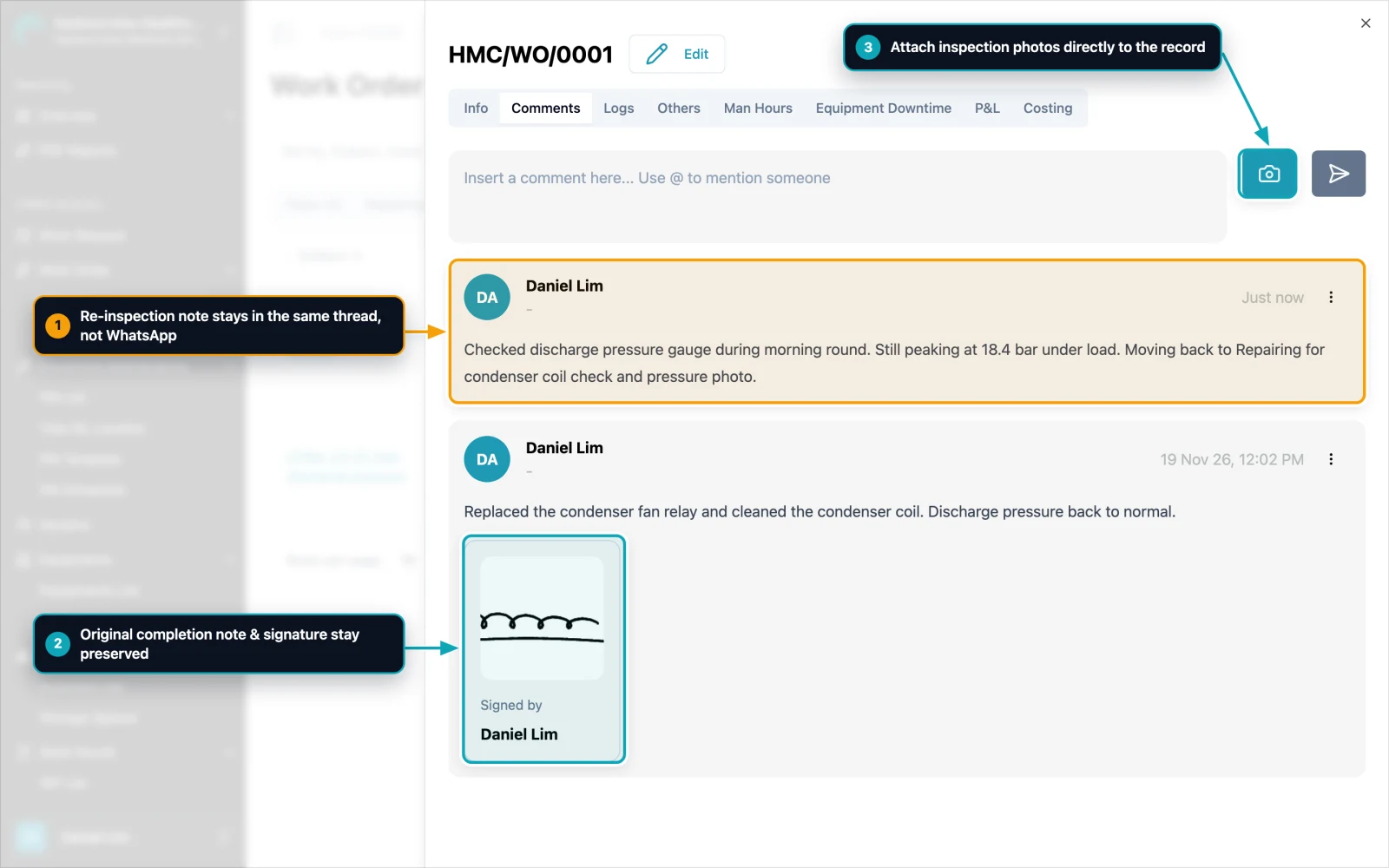
The Comments tab and photo uploads act as the single shared record between technician and verifier. The technician's original completion note and digital signature remain preserved in the timeline, the supervisor's re-inspection instruction sits right above it, and updated photos attach straight to the same work order. Months later, during an audit or repeat breakdown, anyone opening that record can see the full story without digging through WhatsApp messages.
Save Verification for the Work That Truly Matters
Digitalising verification and approval is not about moving every signature line from paper onto a screen. It is about making every signature mean something again.
Start by questioning your current forms and stripping out redundant sign-offs on high-volume, low-risk routines where a photo and digital timestamp already do the job. Then use Custom Work Order Statuses, Custom PM Statuses, role access, and required transition evidence in Cerev CMMS to enforce a crisp, auditable third-eye check on the critical work that genuinely demands it.
If your team is trying to move away from paper sign-off sheets and wants to see how custom statuses and role-gated verification would map to your site workflow, get in touch with us. We are happy to walk through it on a live project setup.
Ready to optimize your maintenance operations?
Get in touch with our team to discuss how Cerev CMMS can help streamline your maintenance workflow and reduce costs.