New in Cerev CMMS: The Library and 500 GB per Project
Chang
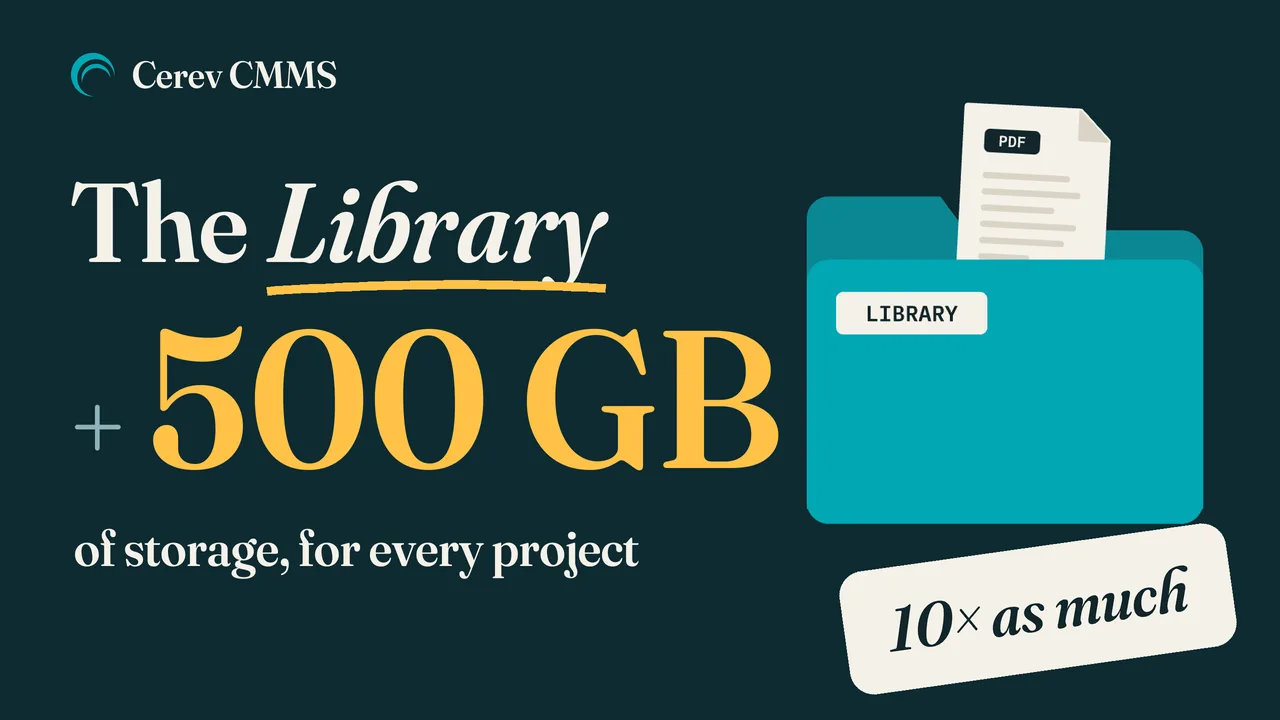
"Chiller SOP v2 FINAL.pdf". "Chiller SOP - latest.docx". "Chiller SOP FINAL (1).pdf". Which one is the latest?
Many maintenance teams have a folder like this somewhere. It lives on a shared drive, in a WhatsApp group, or on one supervisor's laptop. The technician standing in front of the chiller usually has none of them.
Cerev CMMS now has a Library: one place for each project's SOPs, equipment manuals, monthly reports, drawings, permits and contracts. And every project now has 500 GB of storage, ten times the old 50 GB, at no extra cost. Both are already on for every project. There is nothing to switch on.
The company, building, people and documents in the video and in the screenshots below are Cerev demonstration data.
One Home for Every Project's Documents
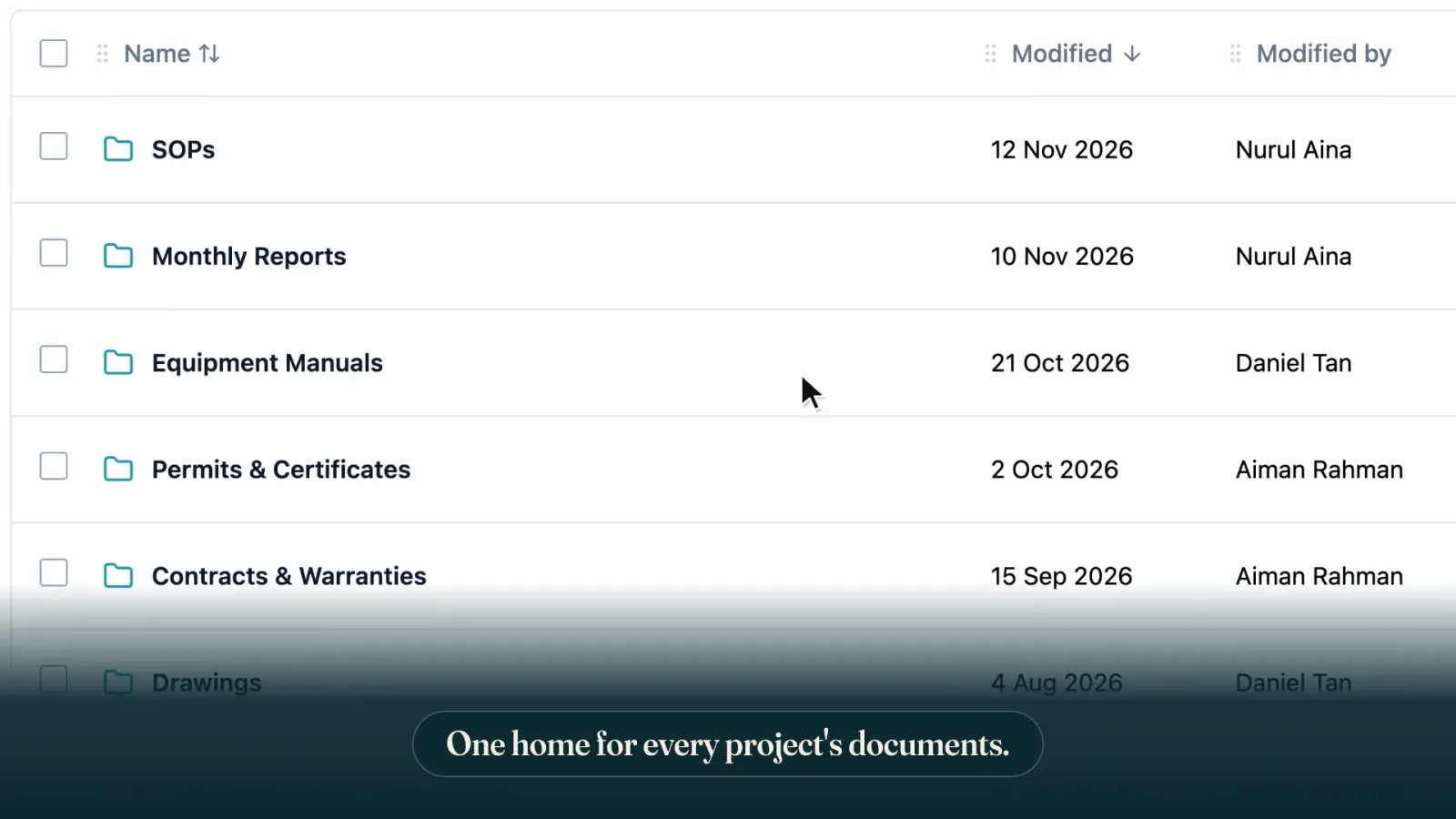
The Library sits inside each project. Organise it the way your team already thinks about its documents, with folders inside folders up to five levels deep: SOPs, then Chillers, then the start-up and shutdown procedures for that plant.
- Search covers the whole Library, not just the folder you have open.
- Any file type except programs, scripts and web pages, up to 100 MB per file.
- Deleted files go to the Library's recycle bin and can be put back.
Upload the New Copy. Cerev Keeps the Versions.

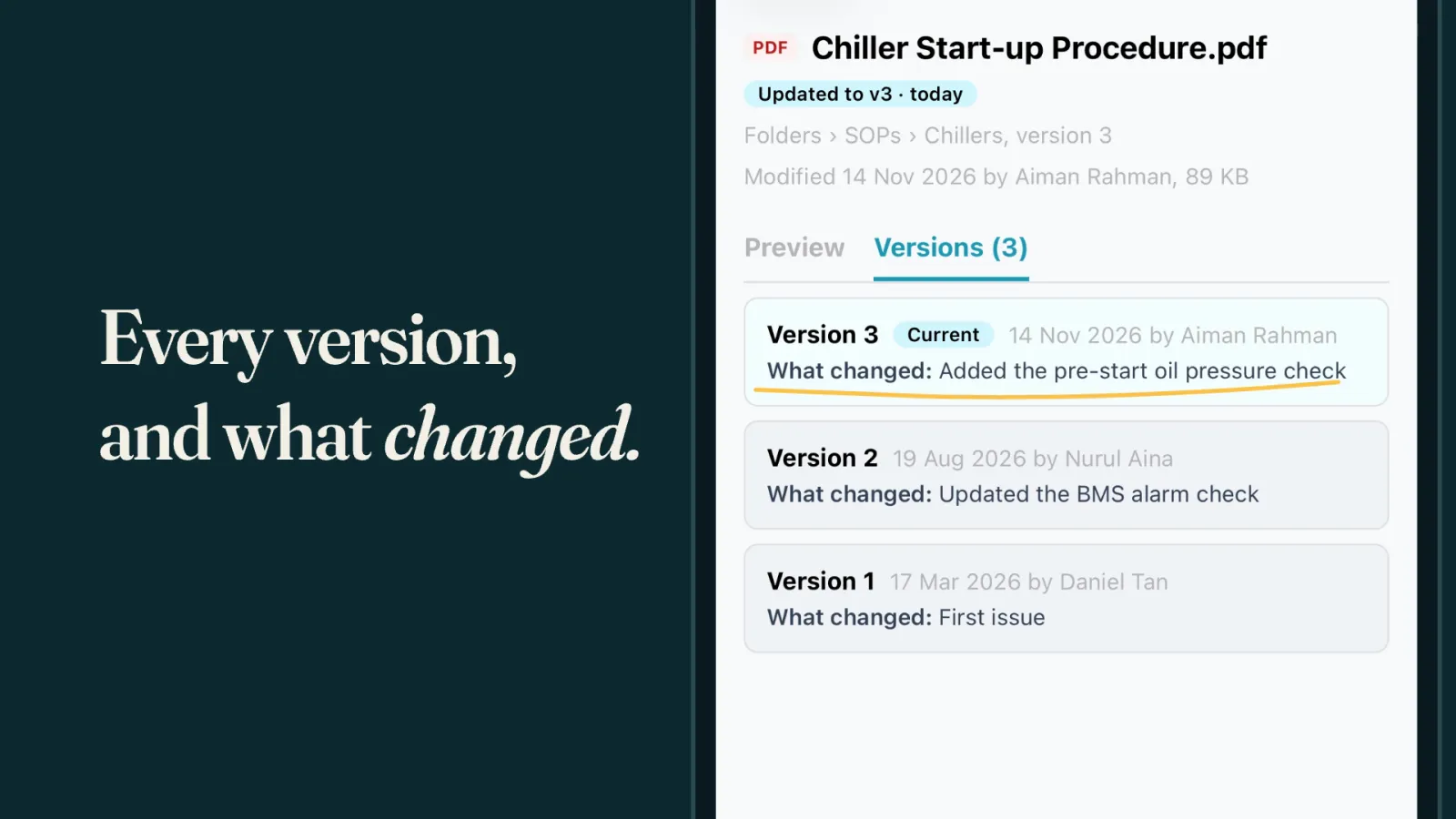
This is the part that ends the "FINAL (1)" problem. Upload a file with the same name as one already in the folder, and Cerev offers to save it as the next version instead of a second copy. It asks what changed, so the note travels with the file. You can still keep both files, or skip the upload.

Everyone keeps opening the same file and gets the latest copy. Nobody has to work out which attachment in which chat is current.
Earlier versions stay in the file's history, each with who uploaded it, when, and what changed. If a new copy turns out to be wrong, an admin can restore an earlier version.
On Site, on the Phone
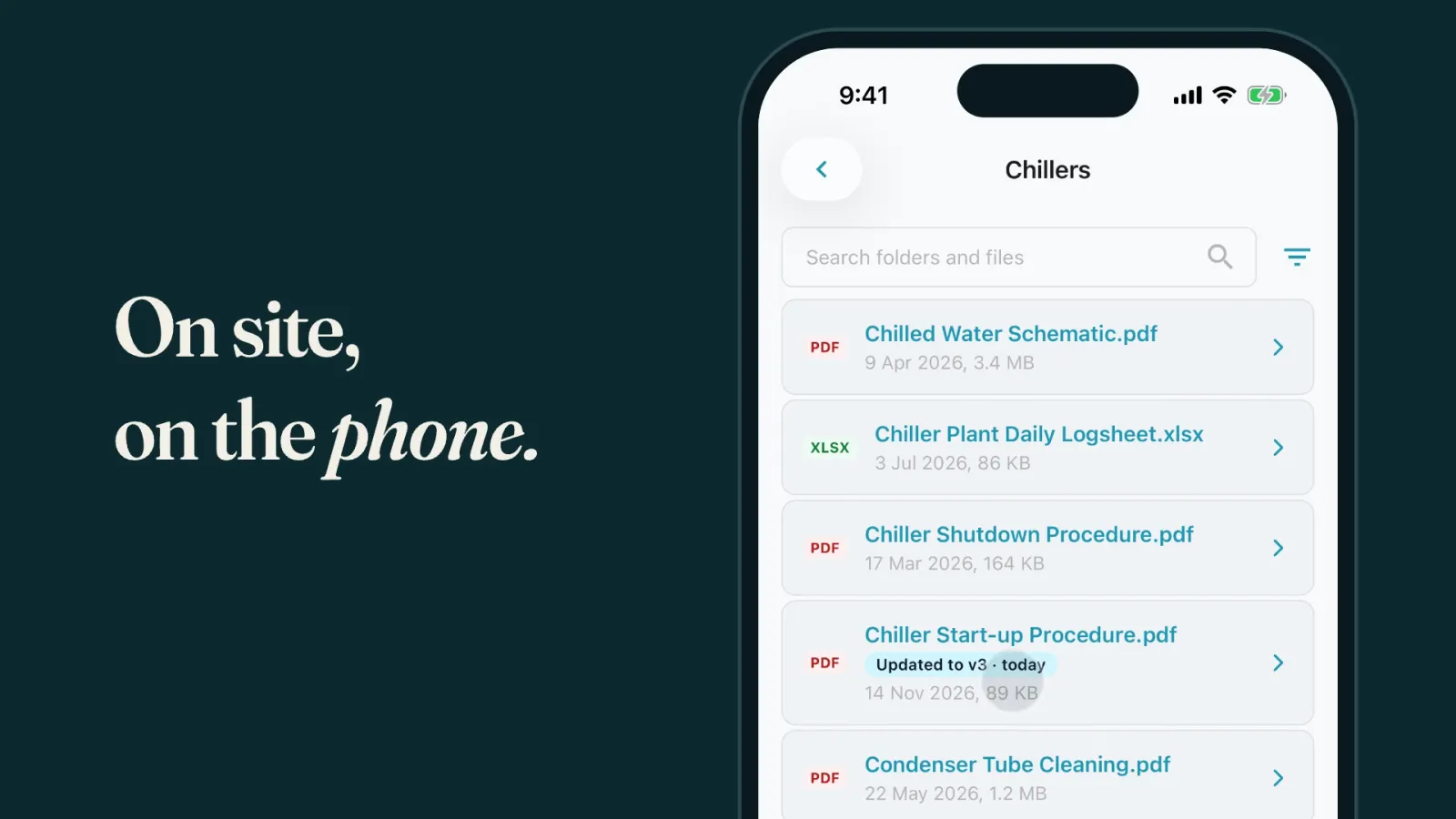
The same Library is in the Cerev CMMS mobile app, read only. A technician on site can open the procedure for the equipment in front of them, and see every version and what changed.
Who Can Do What
- Company admins upload and organise files on the web.
- Everyone else on the project can browse, search, open and download.
- Vendors can't see the Library.
500 GB of Storage for Every Project
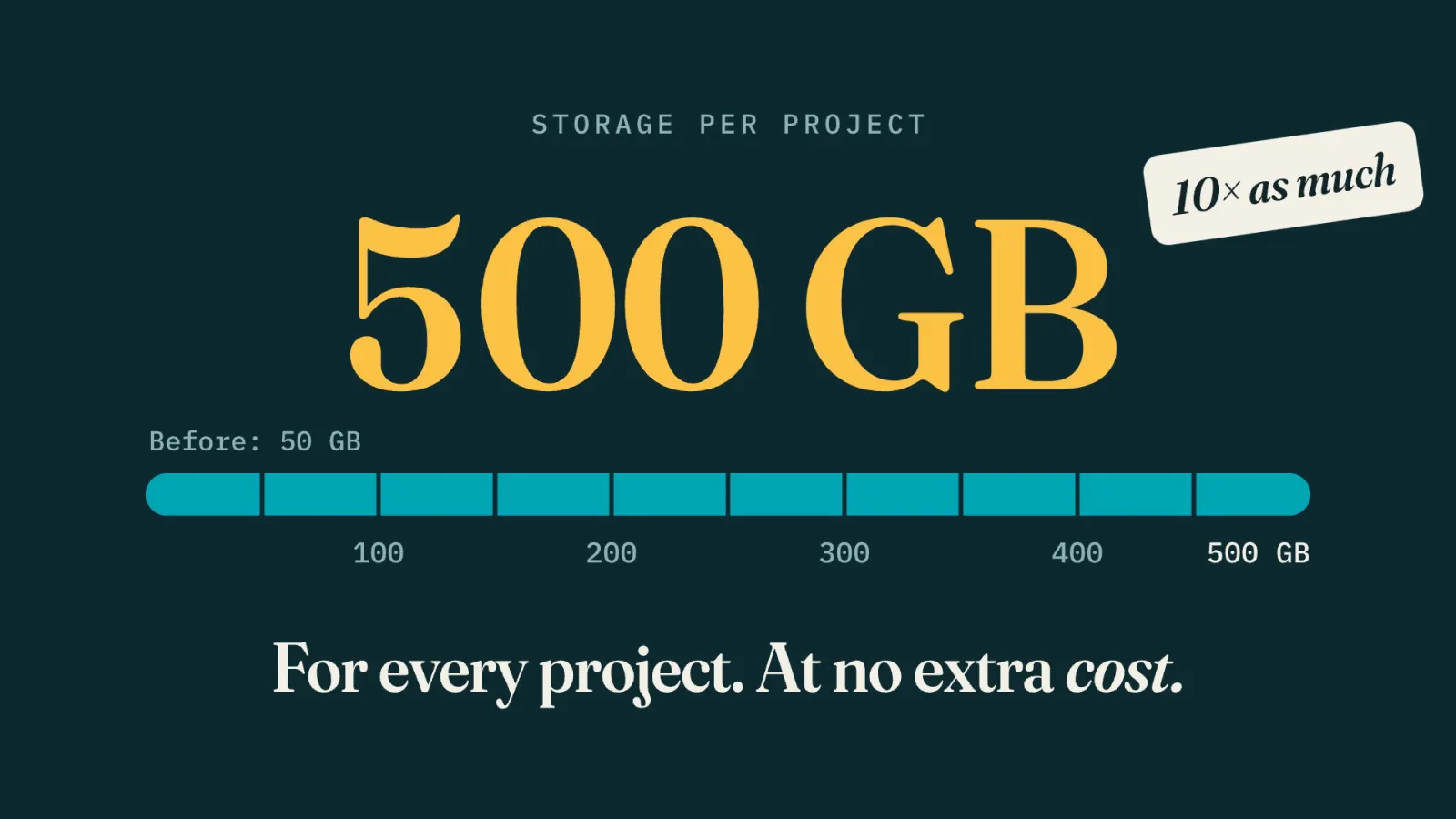
Documents need room, so we changed that too. Every project on Cerev CMMS now has 500 GB of storage, up from 50 GB, at no extra cost.
Library files count toward the project's storage, alongside the photos and attachments on work orders, work requests, PM checklists and equipment. Going over the allowance does not stop anyone uploading.
See What Is Using the Space
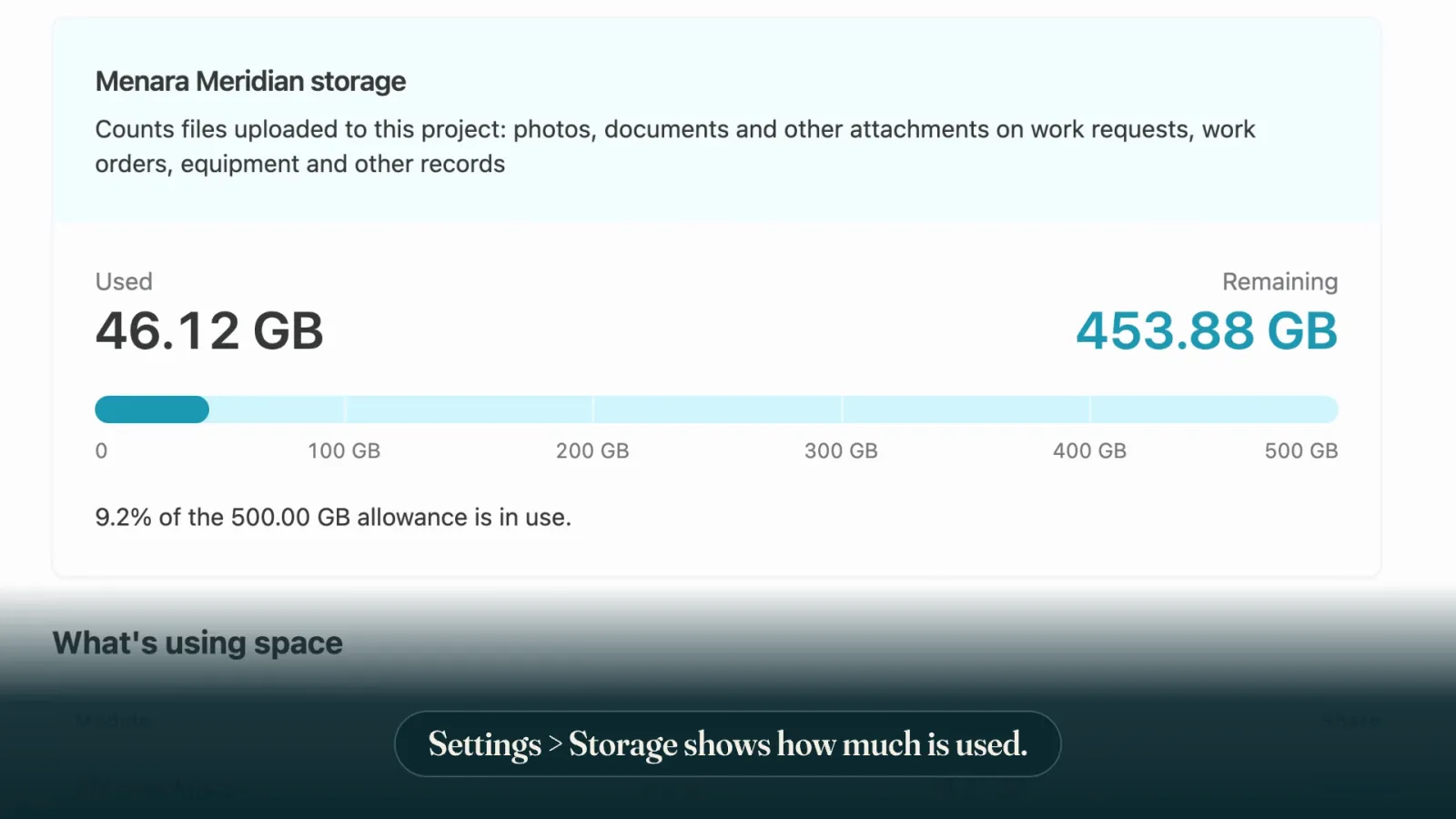
Settings > Storage shows how much of the project's allowance is used, and a What's using space table breaks it down by module, the Library included. The figures in these screenshots are demo data.

Getting Started
The Library is already on for every project, and the 500 GB applies to every project too. If you are a company admin, open the Library on the web, set up a few folders, and upload the documents your team asks for most. Everyone on the project can then find them on the web and on their phones.
If your SOPs and manuals still live in chat groups and shared drives and you are not on Cerev CMMS yet, get in touch. We are happy to show you the Library on a project like yours.
Ready to optimize your maintenance operations?
Get in touch with our team to discuss how Cerev CMMS can help streamline your maintenance workflow and reduce costs.