What If You Could Just Ask Your CMMS?
Chang
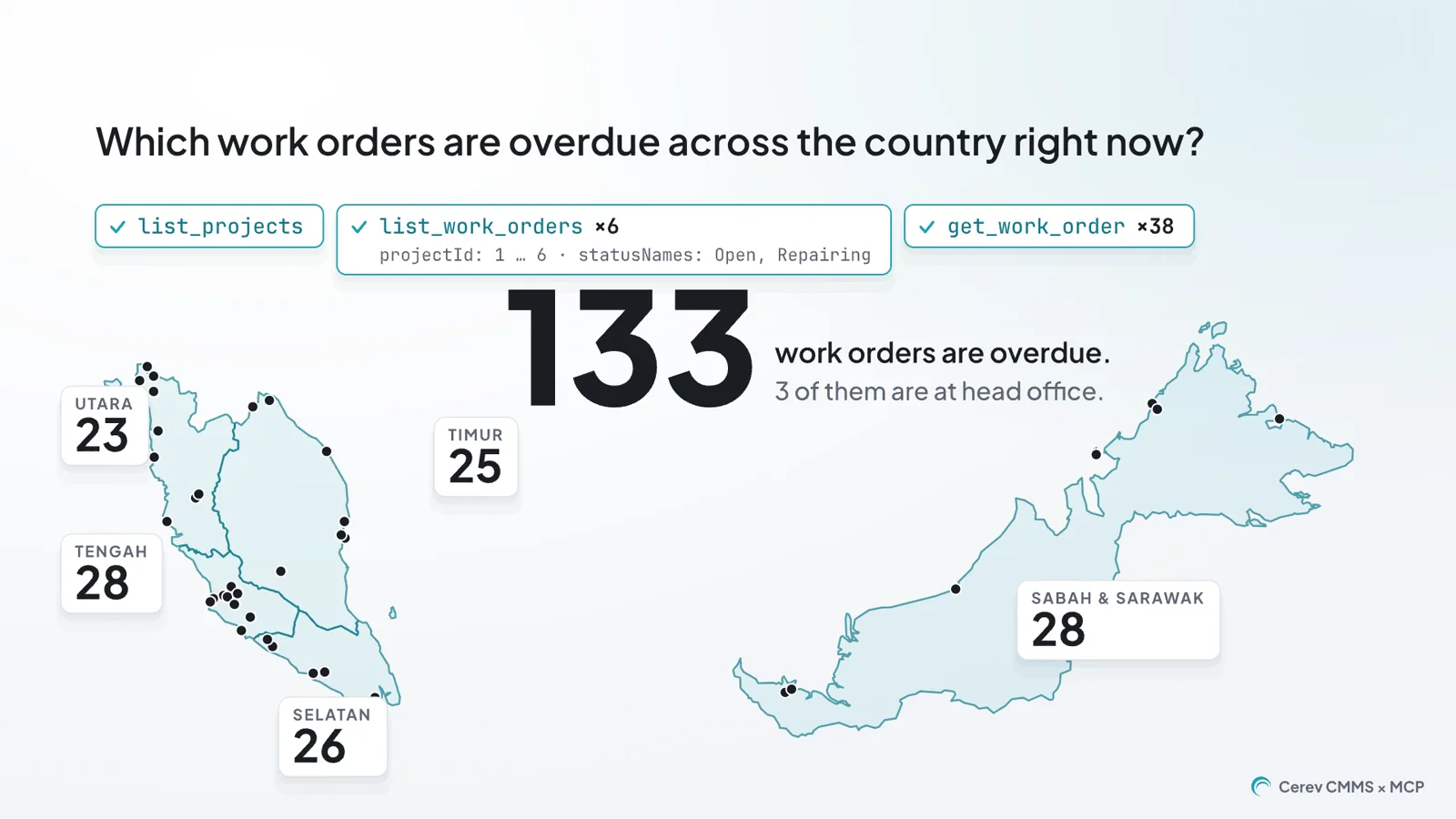
The answers to most maintenance questions are already in your CMMS. Every work order, PM checklist, reading and comment is recorded somewhere. The slow part is getting an answer out when someone asks a question the dashboards weren't built for.
In the second episode of the Cerev Integration Series, we connected Cerev CMMS to Claude through MCP, the Model Context Protocol. Then we asked it four questions that maintenance teams ask every week, and we checked each answer against the Cerev screens it came from.
How a Question Gets Answered Today
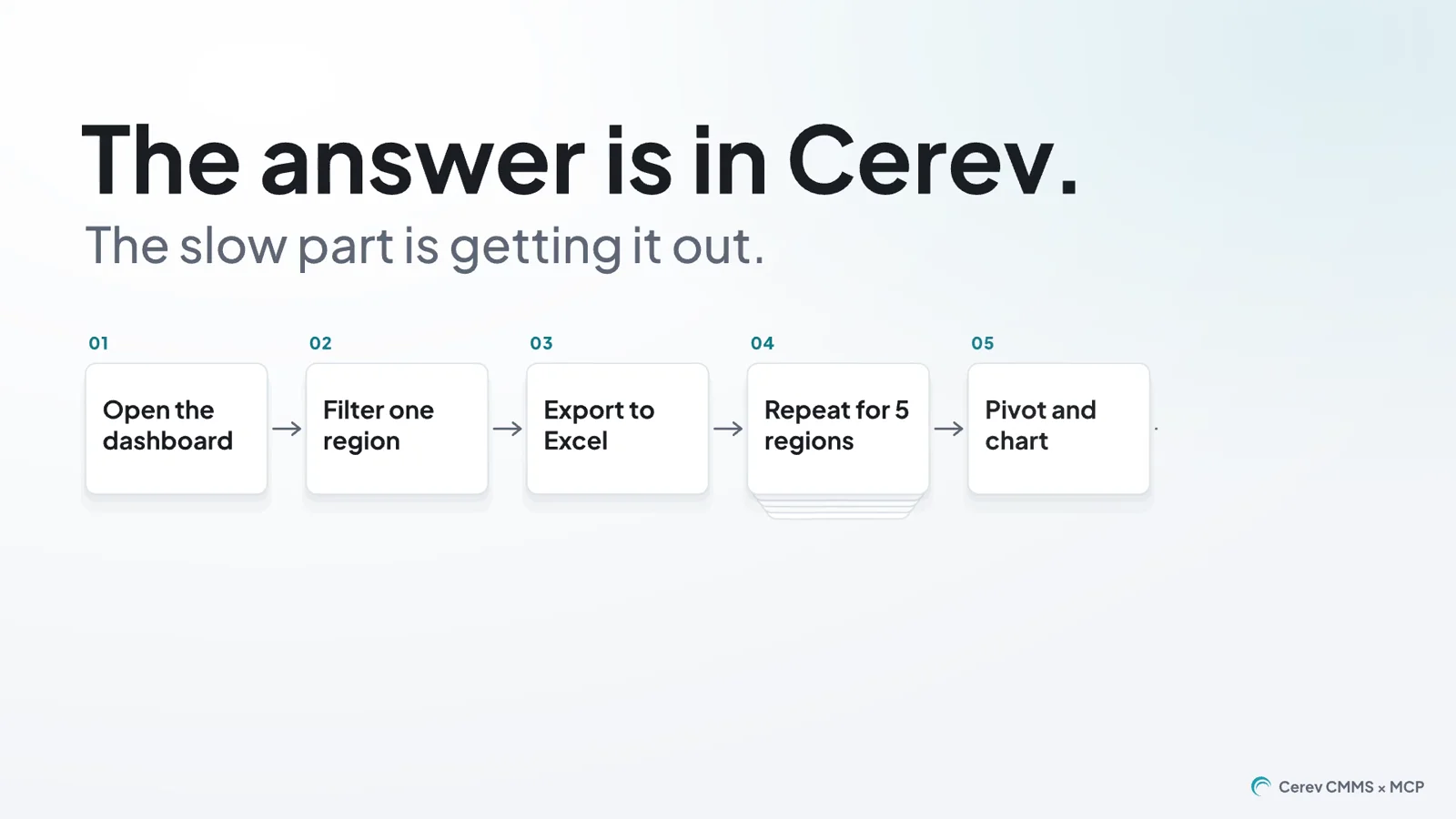
Take a simple question from a head of operations: which region fell behind on preventive maintenance last month? To answer it, someone opens the PM dashboard and filters it to one region. They export it to Excel, repeat that for every other region, and build a pivot table and a chart.
None of those steps is hard, but they add up to an afternoon. You also have to do them again for every new question. In practice, many questions never get asked, because nobody has the afternoon to spare.
What MCP Is
MCP is an open standard for connecting AI assistants to the systems that hold your data. A system publishes a set of tools through an MCP server, such as “list work orders” or “get a PM checklist”. An assistant that supports MCP can then call those tools to answer a question, instead of guessing.
The Cerev MCP server gives an assistant 14 tools for reading Cerev CMMS. Each tool covers one kind of record, such as projects, equipment, work orders, PM checklists or comments.
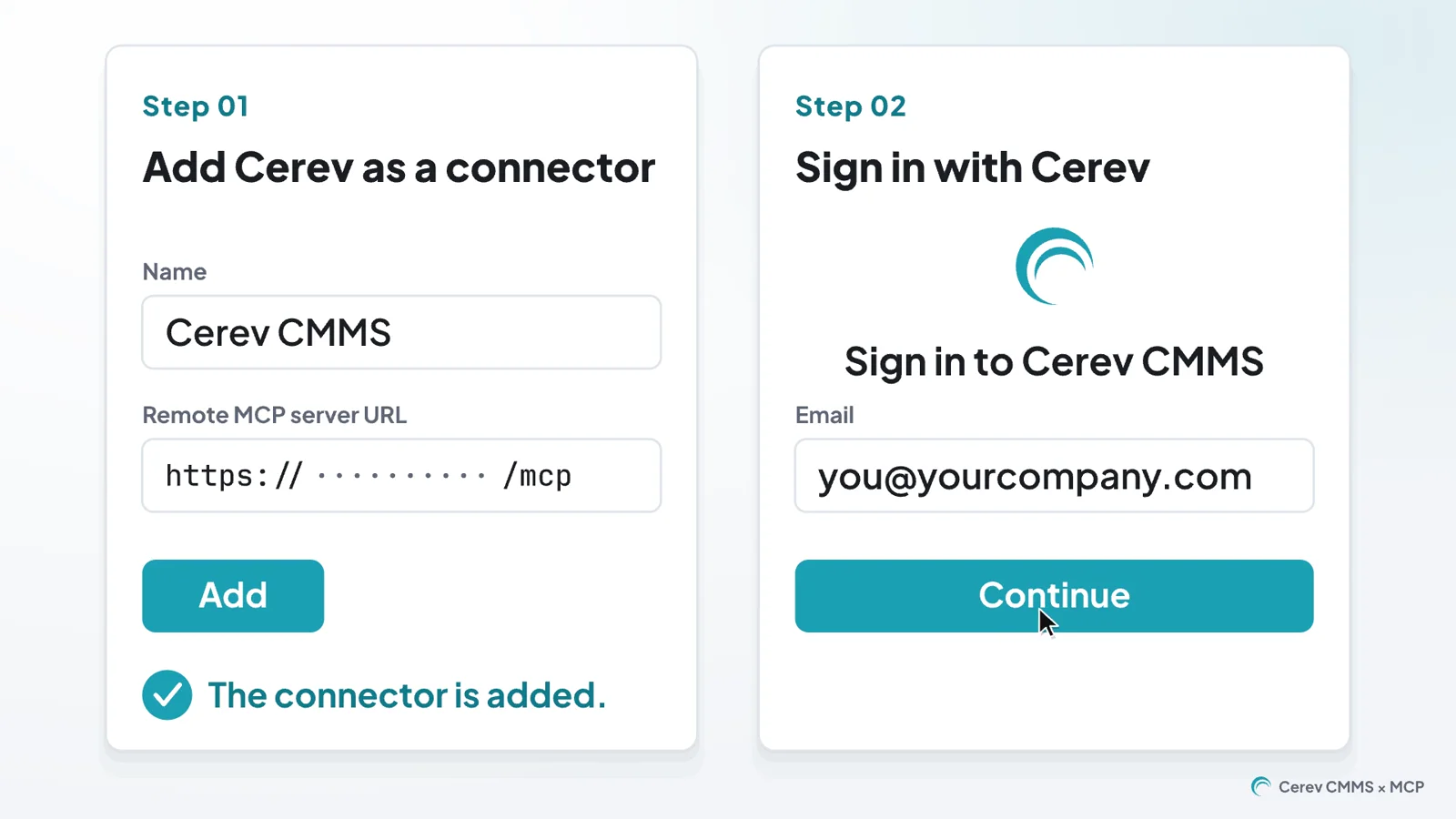
You set it up once. You add Cerev as a connector in the assistant and sign in with your own Cerev account. After that, you can ask questions in plain English, or in the mix of English and Malay that most site teams write in.
Why Does the Chiller Keep Tripping?
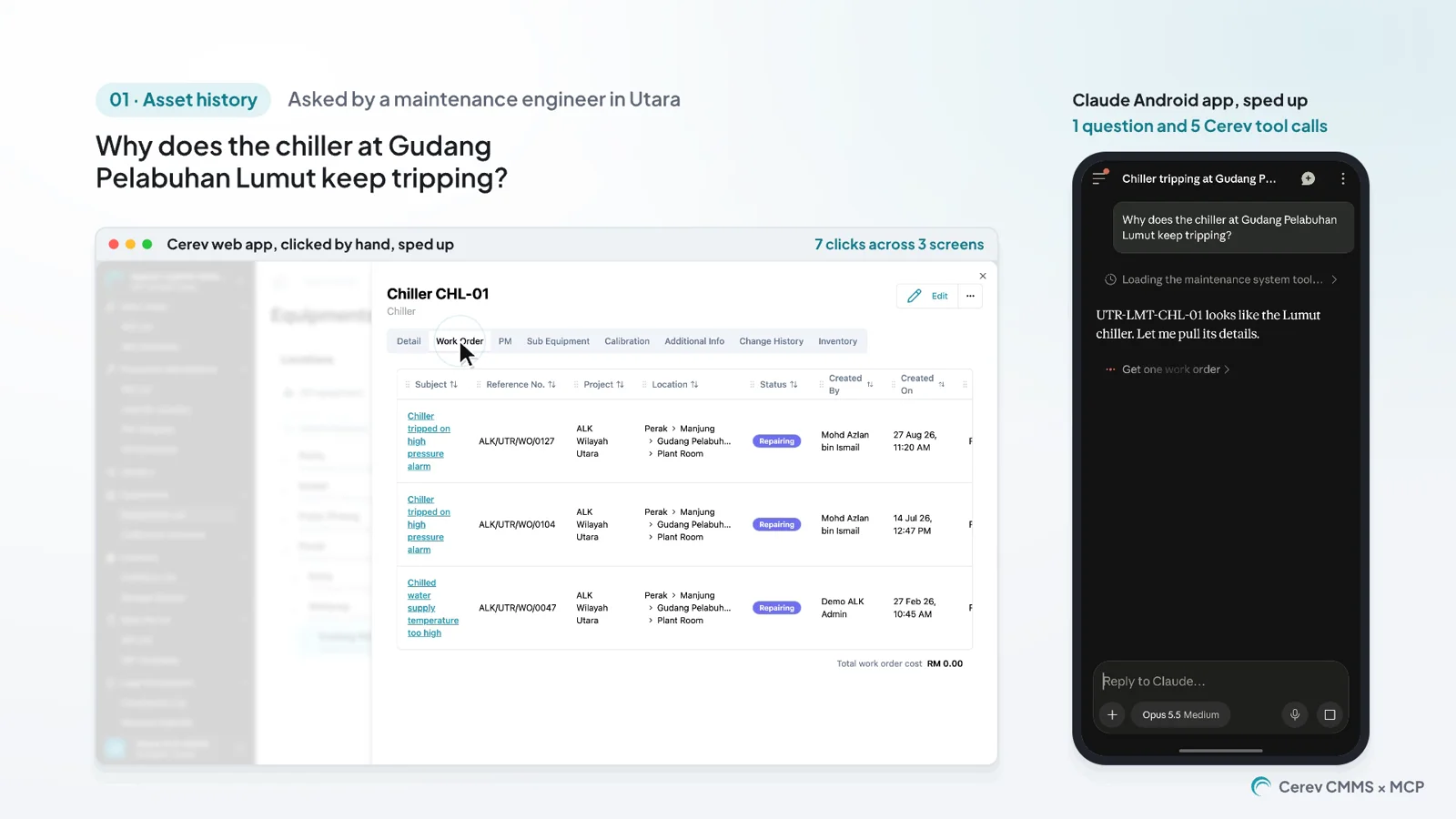
The first question came from a maintenance engineer. They asked why the chiller at Gudang Pelabuhan Lumut keeps tripping. Answering it by hand took 13 clicks across 7 screens in the Cerev web app, reading every work order and checklist on that chiller.
In Claude, it was one question. Claude read the chiller's work orders, PM checklists and comments, and it came back with three findings.
- The PM on 18 September answered “Inspect condenser tubes for fouling” with NO.
- All three work orders on the chiller, from February, July and August, are still in Repairing.
- The latest comment, written in Malay, says the team is waiting for a vendor spare part.
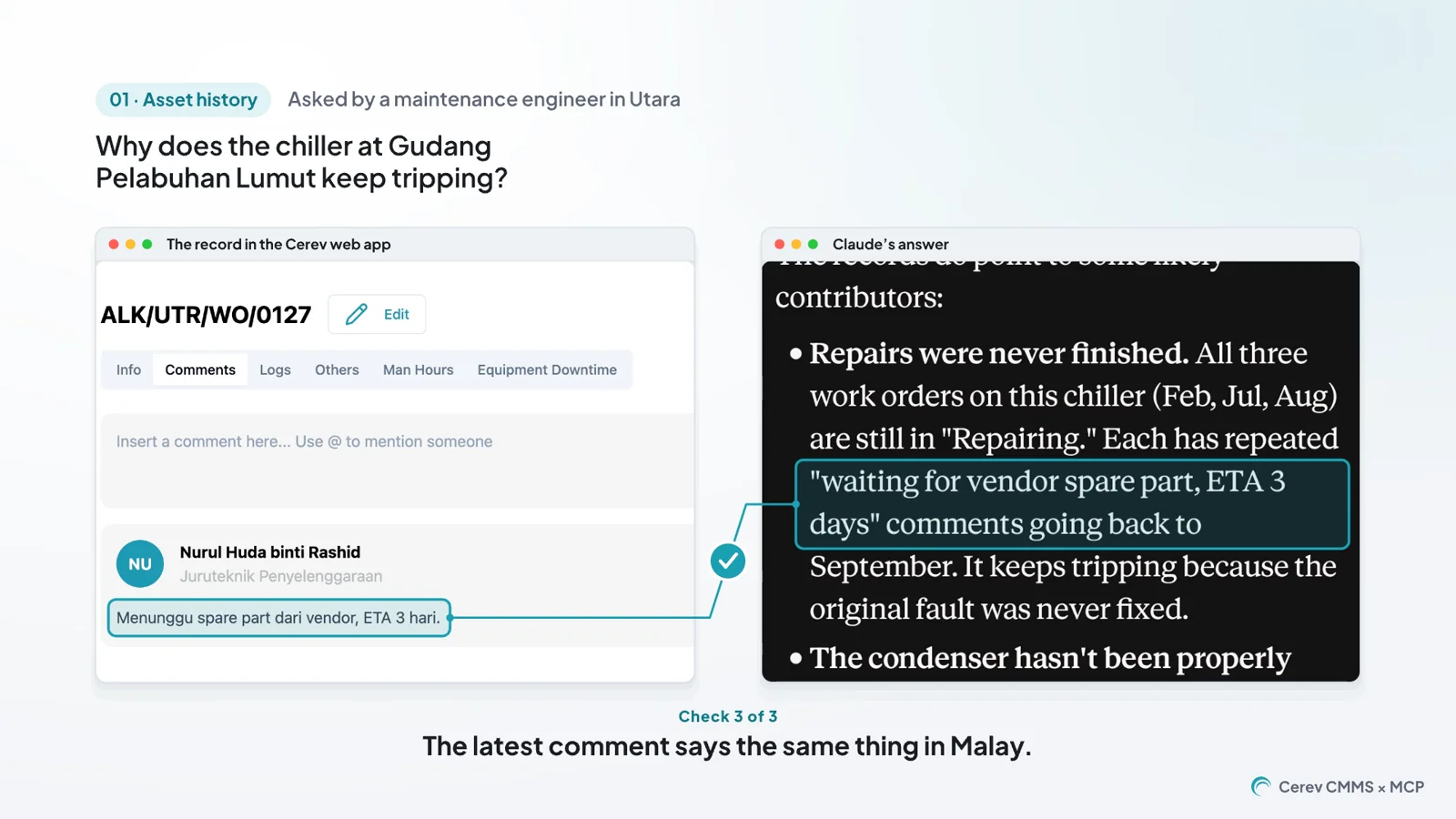
We didn't take the answer on trust. The episode puts each claim beside the Cerev screen it came from, and all three match. The chiller keeps tripping because the original fault was never fixed. The repairs stalled on a spare part, and the condenser tubes were never cleaned.
Which Region Fell Behind on Preventive Maintenance?
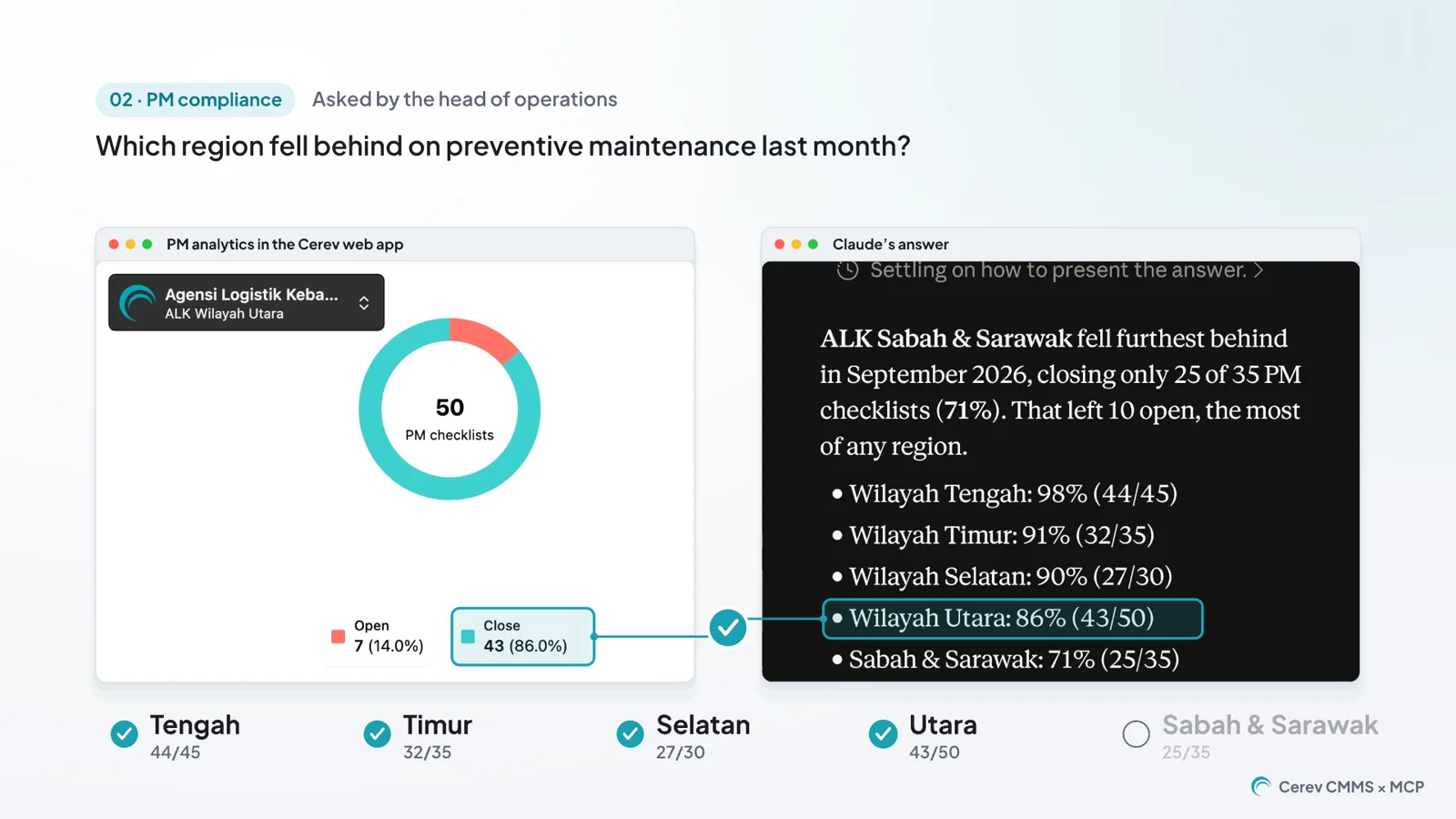
The second question came from the head of operations. By hand, it means opening five PM dashboards, one for each region, and writing the figures down. In Claude, it was one question.
Claude listed every region's PM compliance for September. Sabah & Sarawak was furthest behind, with 25 of 35 PM checklists closed (71%). We checked each region's figure against its dashboard in Cerev, and every one matched.
A regional manager can then take the next step in the same conversation and ask Claude to draft September's maintenance report for Sabah & Sarawak. Claude writes it as a document from the live Cerev data. If you want that report to be one your management actually reads, our post on the monthly maintenance report your boss actually reads covers what it should contain.
Asking on Site from a Phone
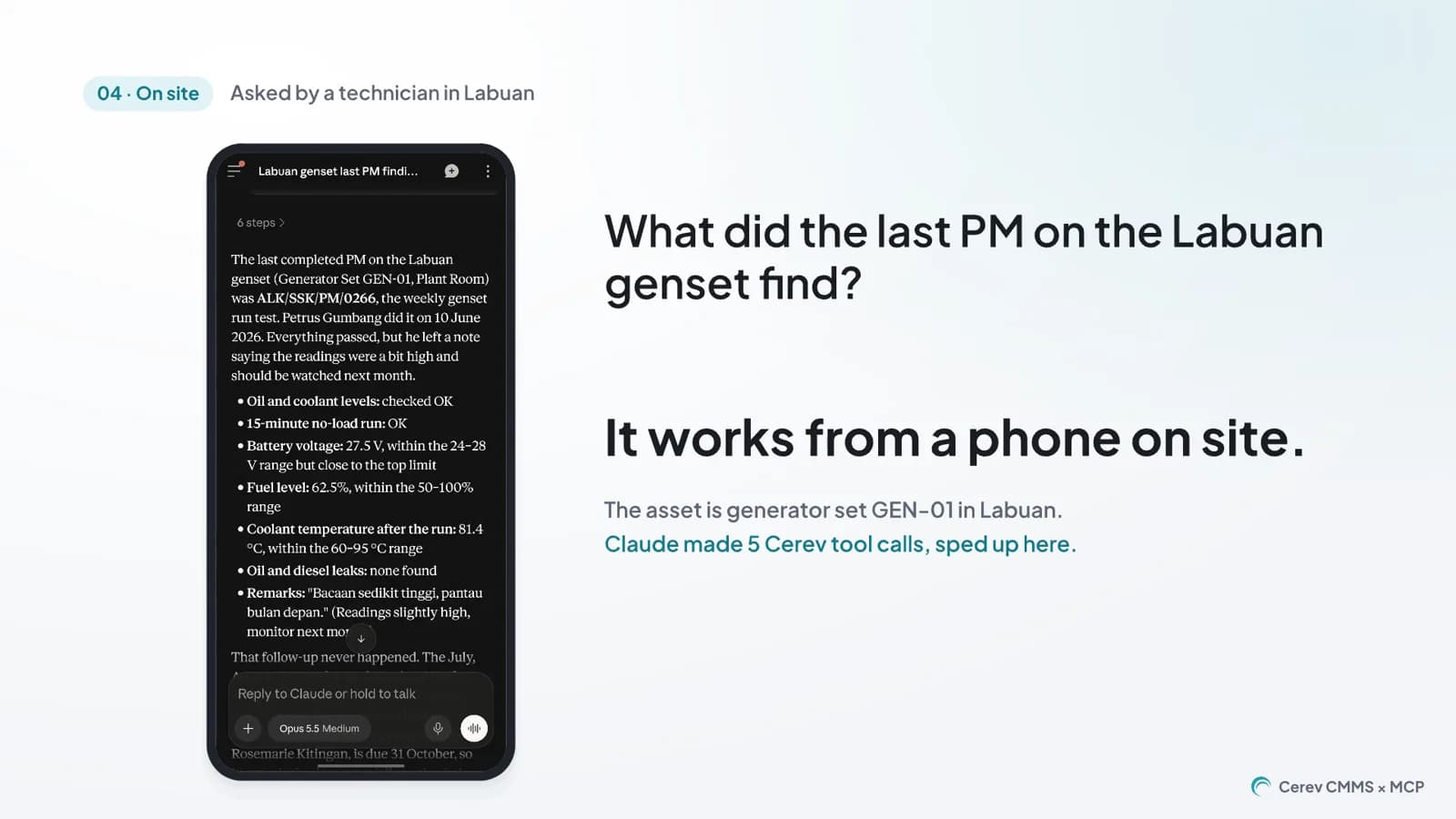
The last question came from a technician standing next to a genset in Labuan. They asked what the last PM on that genset found. Claude returned the readings and the technician's remark, which was written in Malay and said a reading was slightly high and should be watched next month.
Claude also pointed out that nobody had followed it up. The remark was written in June, and no work order or later check had been raised for it. That is the kind of thing a person reading one record at a time rarely notices.
What the Connector Can and Can't Do
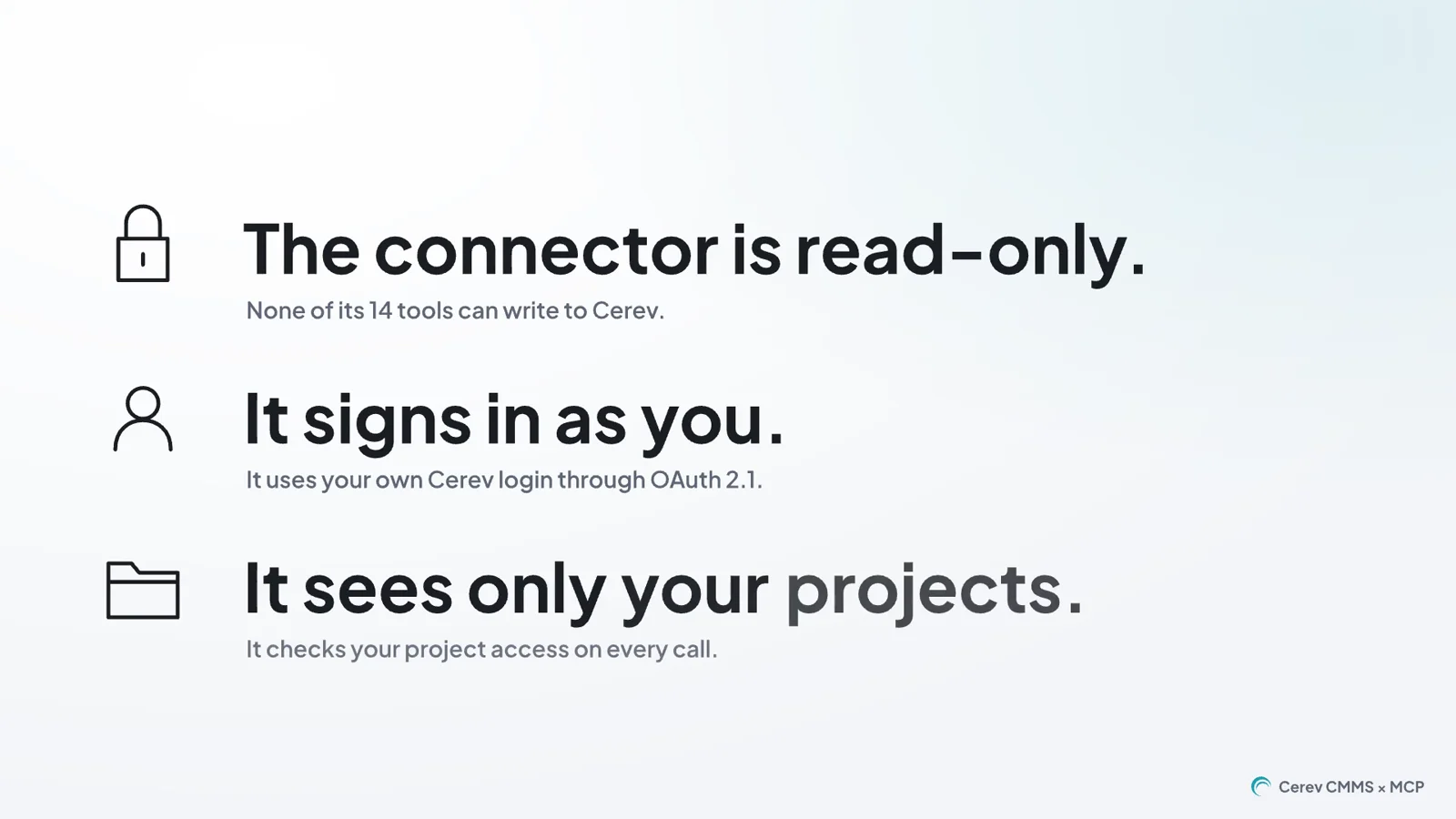
A maintenance system holds a lot of sensitive information, so we built the connector around three rules.
- It is read-only. None of its 14 tools can create, change or delete anything in Cerev.
- It signs in as you. You sign in with your own Cerev login through OAuth 2.1. There is no shared service account.
- It only sees your projects. It checks your project access on every call, so the assistant can see only what your Cerev account can see.
An assistant is only as good as the question you give it. A vague question gets a vague answer, even with good data behind it. Our guide on how to prompt AI effectively covers how to ask questions that get specific answers.
The agency, sites, equipment and work orders in this episode are Cerev demonstration data. Every answer in the video was made with the Claude Android app through the Cerev MCP server. The recordings of Claude and the Cerev web app are real screen captures, sped up.
Try It on Your Own Data
We are preparing the Cerev MCP connector for Cerev customers. If you would like to try it on your own projects, or see it on the demo data first, book a demo and tell us which questions you would ask. You can watch every episode of the series on our Integration Series page.
Ready to optimize your maintenance operations?
Get in touch with our team to discuss how Cerev CMMS can help streamline your maintenance workflow and reduce costs.