UpdateNovember 13, 202515 mins
Introducing Space Management, Organize and Reserve your spaces with ease
J
Jo

We're excited to roll out the new Space Management module in Cerev CMMS, designed to help you manage and reserve spaces seamlessly within your facilities. Whether it's meeting rooms, labs, workshops, or shared areas, this feature brings structure and visibility to how spaces are used.
Where to Find It

- Navigate to Other Modules → Space Management, located right below Energy.
- Inside, you'll find two main sections: Spaces and Reservations.
Setting Up Spaces
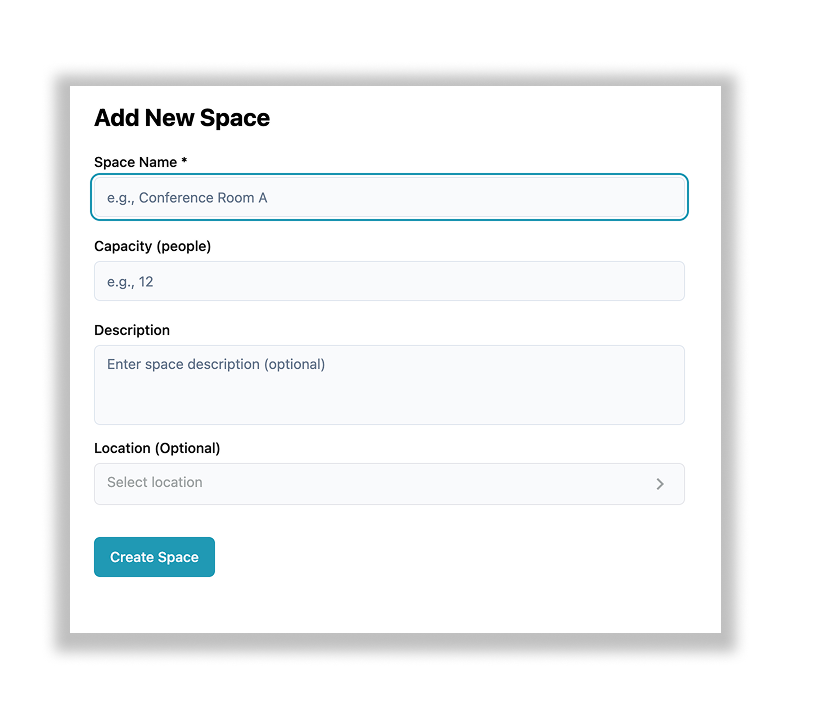
- Start by creating spaces to define which areas can be reserved.
- Each space includes key fields like name, location, and capacity to help identify it clearly.
Making a Reservation
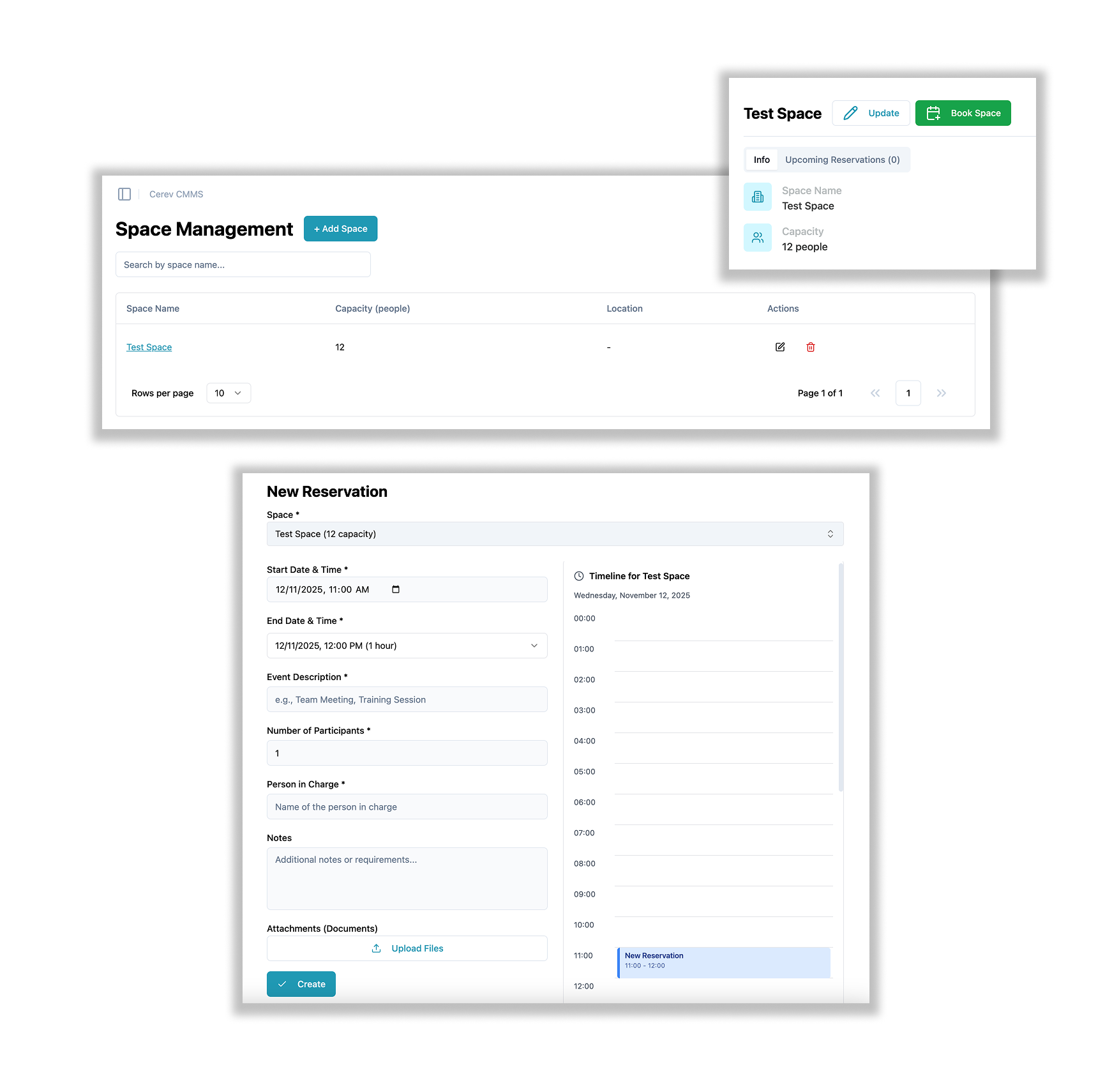
- Go to the Reservation tab and click +Add.
- Select the space you'd like to reserve and fill in the booking details.
- Once saved, your reservation is confirmed — it's that simple!
Why It Matters
- Streamlines the process of managing shared or limited-use areas
- Prevents double-bookings and scheduling conflicts
- Improves visibility into space usage across departments
Coming Soon
Stay tuned for more exciting improvements — all designed to make your facility operations even more efficient.
Ready to optimize your maintenance operations?
Get in touch with our team to discuss how Cerev CMMS can help streamline your maintenance workflow and reduce costs.